
Start with the editor’s working tasks
A good CMS helps a team update website content regularly. To design one, first list the team’s real actions: adding an article, replacing a cover, correcting a service description or unpublishing an outdated page. Each action needs clear fields, an expected result and a way to check the changes.
Consider a hypothetical small studio website with services, projects and articles. An editor does not need a list of technical tables. They need familiar sections, a way to find the right record and a predictable form. This approach does not require a complex system: a few well-grouped screens sometimes solve the task better than one long editor for every occasion.
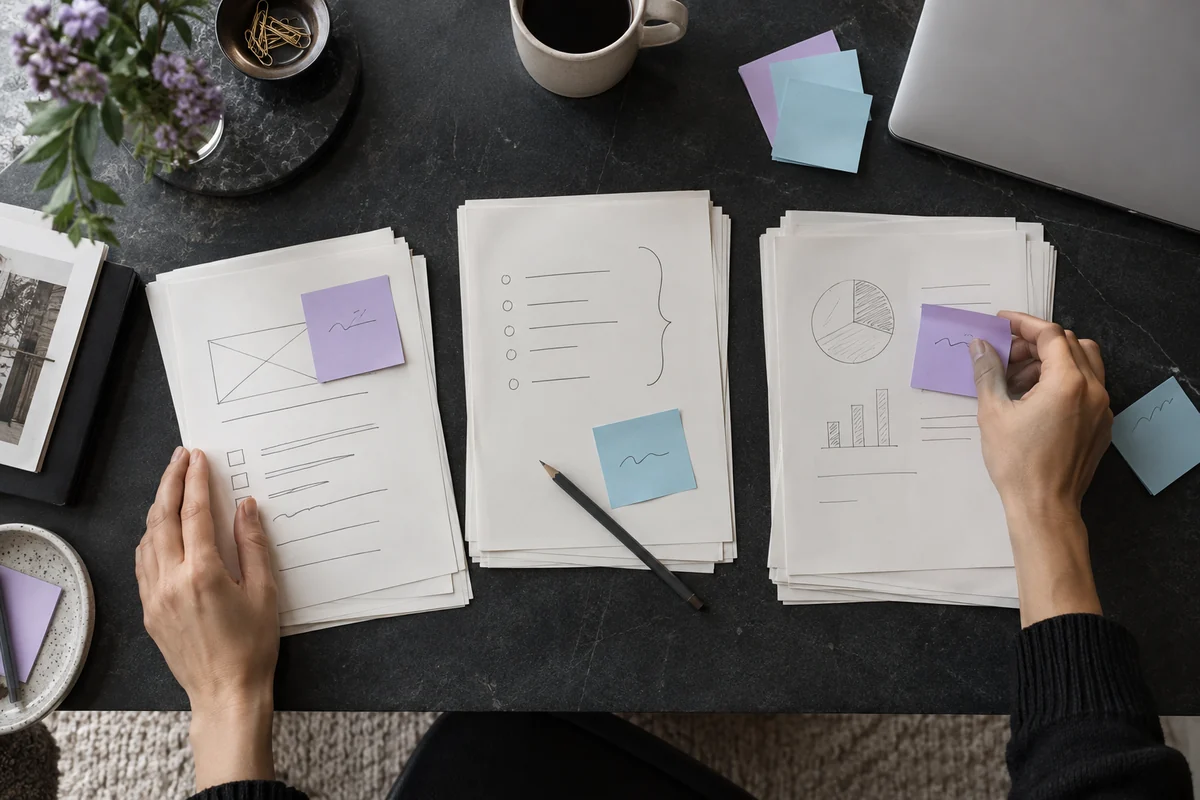
AI-generated illustration. It is useful to review text, images and comments together before publication.
Separate content from settings
A form can group the title, short description and main text in one tab. Images, videos and documents can go in another. The page URL, search-result description and connections to other sections can form a separate group. This organizational suggestion should be tested against your team’s tasks.
Show important properties beside the record’s title: status, publication date and last-saved time. The article list should make drafts findable without opening every form. If there are many records, add search, a status filter and pagination. Predictable action placement matters more than the number of buttons on a screen.
Make a draft a safe working state
A new record usually starts as a draft. It may be incomplete: without a cover, with a working title or with notes for approval. Saving it should not silently expose it to visitors. “Save draft” and “Publish” buttons must represent different actions.
Define separately how edits to an already published page behave. Do they go live immediately or wait for confirmation? Is a new revision needed while the old one remains available? Either approach is possible, but the editor must see which rule applies. The interface must not promise deferred publication if an ordinary save already changes the public page.
Provide a preview of the finished page
Editors benefit from checking an article in the website’s layout: headings, paragraphs, links, captions and cover. The preview should show the current text version and clearly differ from the public page. State whether edits have been saved so the reviewer does not approve an outdated version.
Check at least a wide screen and a phone. A long headline may take much more room than in its input field; image cropping may hide an important object. For video, check the poster and clear controls. A preview does not replace checking the published page, especially where some elements load separately.
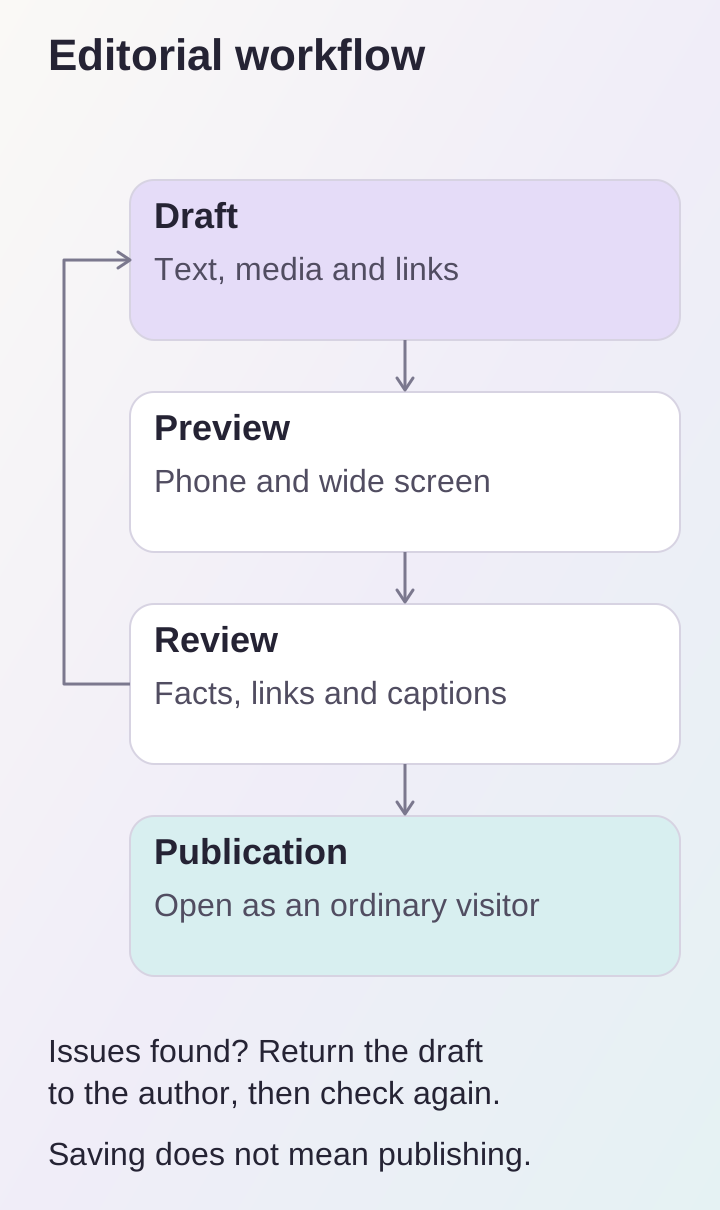
Make the approval route explicit: comments return content to draft, and publication is checked separately.
Organize media around meaning
A cover helps readers understand the subject, while inline images explain particular details. Do not fill an article with random pictures merely for variety. For each file, editors need a clear name, a purpose and a way to replace it without uploading the whole article again. Before publication, make sure the team is entitled to use the selected photographs and documents.
An image description should convey useful information the reader would otherwise lose. For a diagram, for example, naming the stages shown may be enough, with important details explained in the text. Do not copy the article’s long title into every file description. A caption and an image’s text description have different purposes; name the fields so editors understand the distinction.
Assign publication responsibility
Agree on who prepares content and who releases it to the website. This may be one person or an editor working with an approving manager. The essential point is a clear process: where to send a completed draft, who checks facts and who confirms the date. Infrastructure settings and secrets should not become part of an author’s everyday work.
Provide conflict detection for collaborative editing. If one employee opened a form in the morning and another has since corrected the article, a later save must not silently overwrite the newer text. The interface can offer to refresh the page and compare changes. Until such a feature exists, agree not to edit the same record simultaneously and hand it over explicitly to the next participant.
Agree on URL and version changes
Correcting a title does not have to change a published page’s URL. That address may already appear in emails, articles and bookmarks. If it really needs to change, define the redirect from the old address in advance and check internal links. Record the reason for unpublishing separately: a temporary pause and permanent removal call for different decisions.
Change history helps correct errors: who changed the text, when and what preceded it. If the CMS only stores the current version, do not call it a revision log. For important updates, retain the agreed original text and a description of the edit until full version restoration is available.
Test the process on one article
Ask an editor to create a test record without assistance and follow this route:
- Save an incomplete draft and find it in the list.
- Add a cover, an image description and a service link.
- Check text and media in the mobile preview.
- Publish the article and open it as an ordinary visitor.
Record unclear labels, unnecessary steps and places where the result cannot be checked. Use this experience to write a short editorial procedure: the responsible person, required checks and action to take on an error. Design this process alongside the business website or web platform, so content management matches how the team works.
