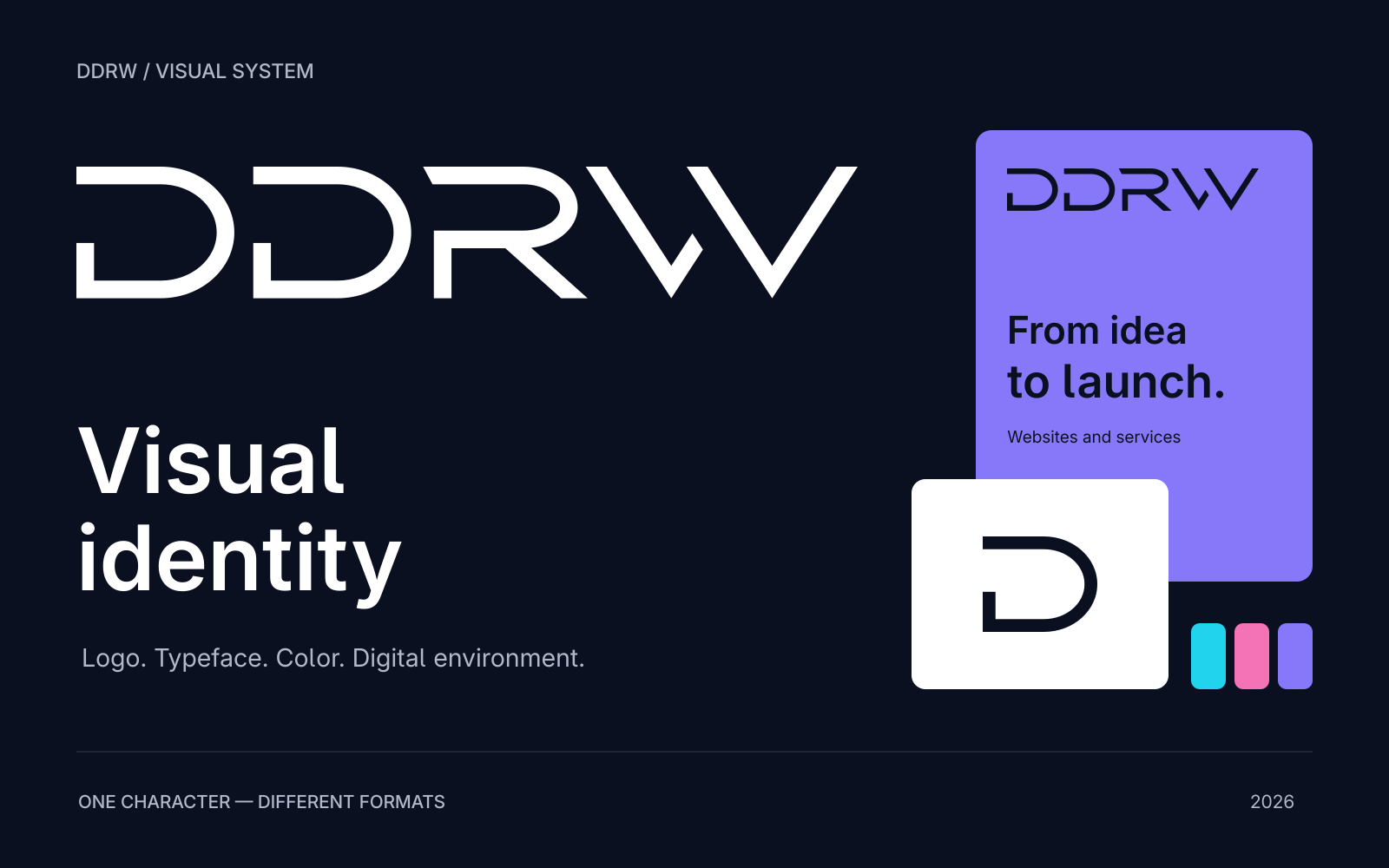
DDRW’s visual identity connects the logo, typography, color, graphics and digital product design. Its purpose is to give different materials a common character and clear rules, so a website, article card and presentation feel like parts of one system.
This article examines our own example: what makes up DDRW’s visual language, how it becomes an interface and which decisions can inform work on your company’s brand. We show website elements and application mockups from our Visual Identity package. The update of October 27, 2026 refined the logo, standalone D and graphics based on it; DDRW Sans 06 and the color system were retained.
From a logo to a system
A logo helps people recognize a company, but does not by itself define a service page, article cover or commercial proposal. Those require further decisions: headline character, color roles, spacing rhythm, image treatment and composition rules.
DDRW starts with a geometric wordmark featuring open Ds, a rounded R and a split W. The two identical Ds set a rhythm, continued by the diagonals on the right side of the mark. These techniques can extend into graphics without adding a random decorative element to every new task.
A practical question helps assess this approach: can a new piece be assembled from the established elements? If every cover requires reinventing the typeface, palette and logo placement, the system has not yet become a working tool.
The logo, standalone D and surrounding space
DDRW’s primary identifier is the full wordmark. The package includes a logomark for compact formats: the first D from the same vector original. This preserves the connection between full and shortened versions. The standalone D serves as an avatar and favicon — the small browser-tab icon. Separate sizes were prepared for the favicon, using the first letter’s shape from the main mark. Wherever people first encounter the brand, showing the full name is more useful.
The logo was reconstructed as clean vector outlines from our sketch. Preparation refined the curves and R–W spacing, and matched the W’s diagonal stroke thickness to the straight DDR strokes perpendicular to each line. This helps the broad W remain expressive without excessive visual weight.
The original contains five closed outlines: two Ds, R and two W parts. They are separately editable and do not depend on an installed font. Typing the letters in a similar typeface does not reproduce the logo’s shapes and spacing. The mark retains its proportions when scaled; a dark version is used on light surfaces and a light version on dark ones.
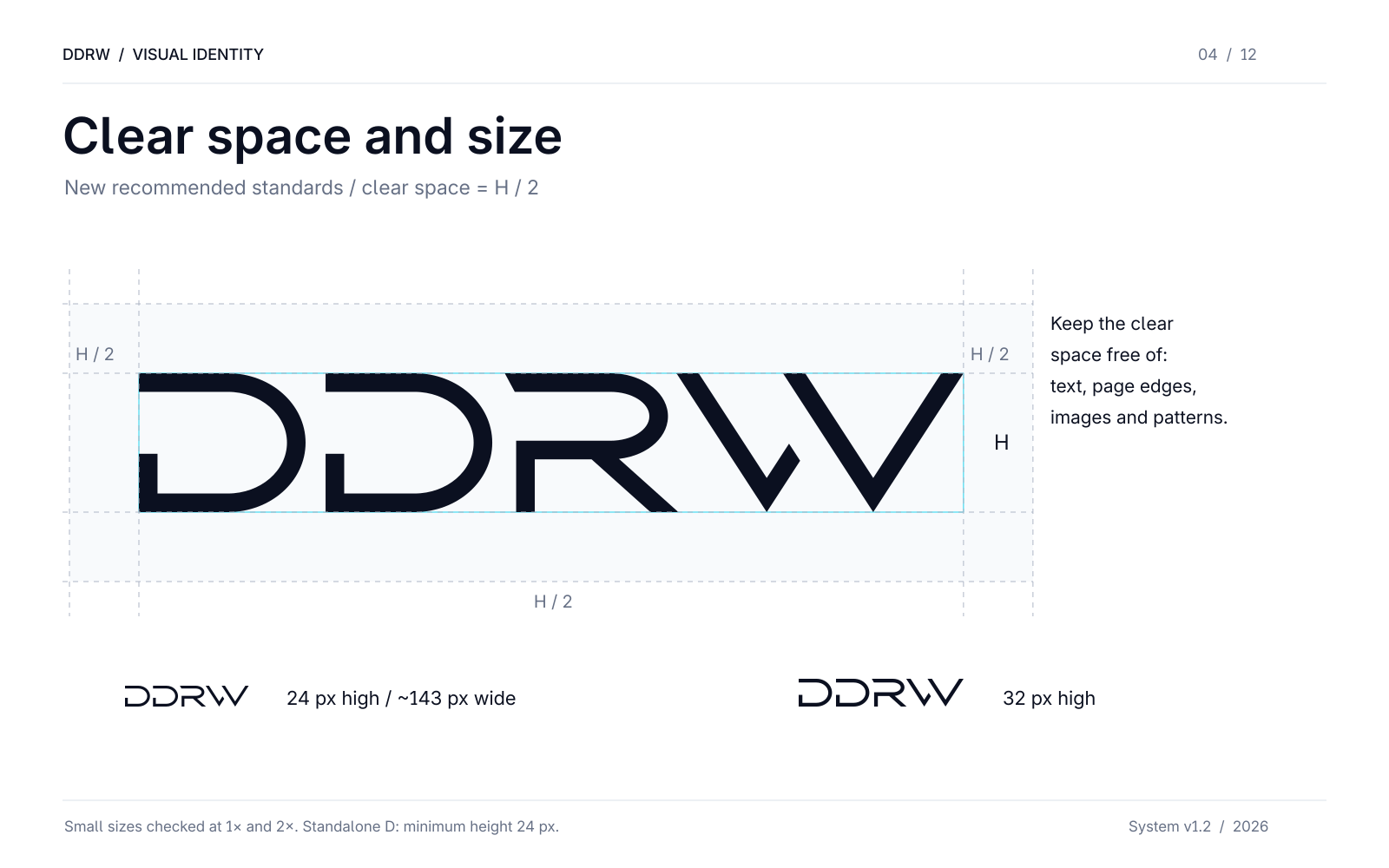
The package proposes clear space of at least half the mark’s visible height — H/2 on every side. Captions, photo edges and adjacent buttons should not enter this area. The full wordmark was checked at heights of 24 and 32 px — approximately 143 and 190 px wide — against light and dark backgrounds, at standard and double pixel density. At these sizes, the open sections of D remain visible, R does not merge with W and W’s short stroke remains distinct. We use a 24 px height as an on-screen guide; the standalone-D favicon is checked in its own small format. For print, our guide is a width of at least 32 mm, with mandatory checking for the specific material and application method.
The surrounding space has a clear purpose: it keeps open outlines distinguishable and separates the mark from other content.
Color: a quiet foundation and visible accents
The Visual Identity palette includes dark Navy, White, light Cloud and three accents — Violet, Cyan and Pink. The neutral foundation leaves room for text and images, while color highlights one idea, section or action.
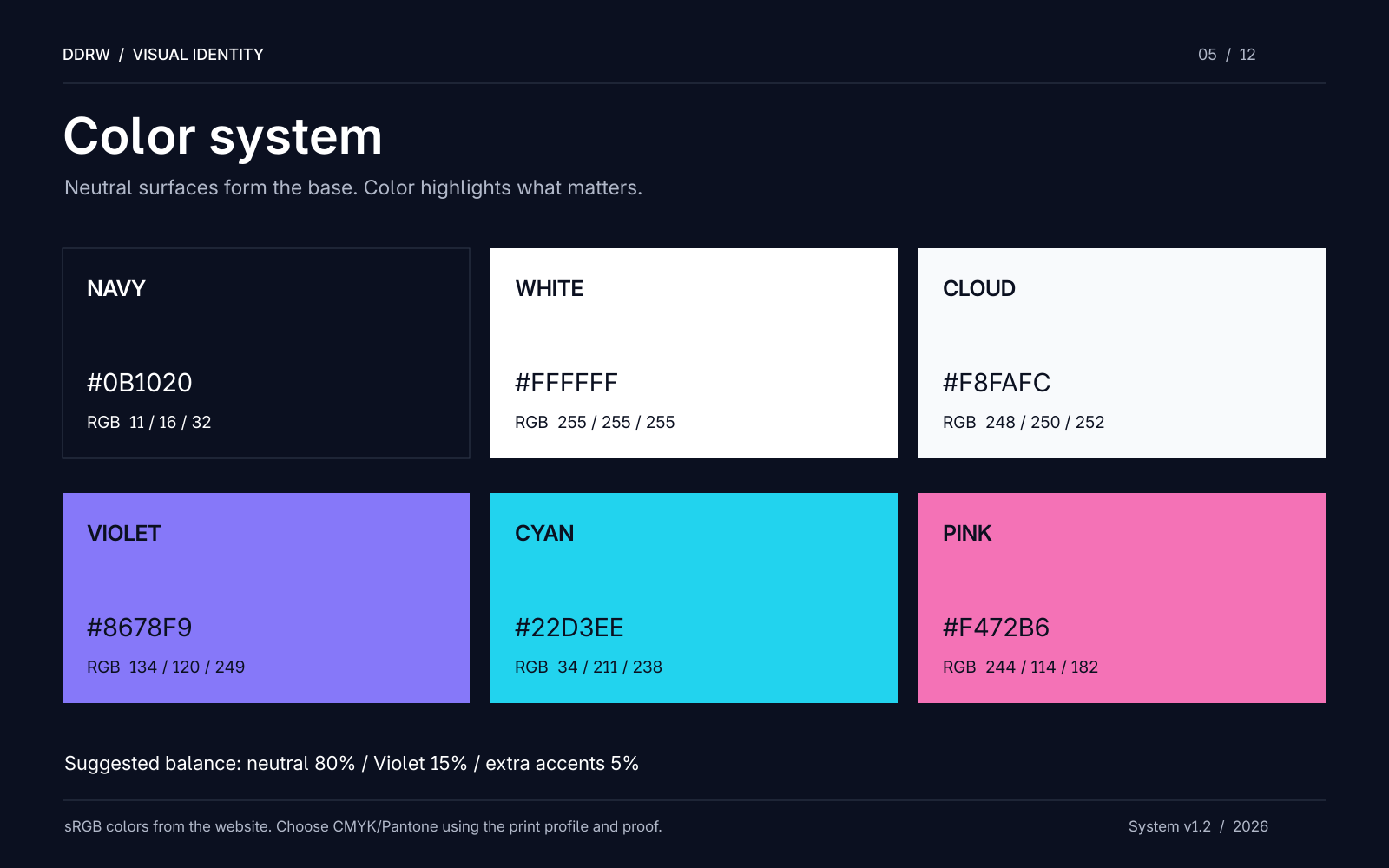
A palette does not mean every element must use a bright color. Small colored text on white, for example, may lose the required contrast. In that case, retain dark text and use the accent in a background, line or larger graphic element.
The website adapts this logic for two themes. The light theme uses an almost white background, dark blue text tones and more restrained accents. The dark theme uses a black background, light typography and brighter cyan, violet and pink details. Simply swapping black and white is insufficient: card borders, secondary text and button states need separate values.
The brand palette and interface colors are therefore connected through roles. One set establishes the brand’s character; the other supports reading and action in specific conditions. Product photographs and client-project screenshots retain their own colors.
DDRW Sans: character in headings, clarity in text
The current website version uses DDRW Sans 06, a branded modification of Inter. We retain information about its original basis and the SIL Open Font License 1.1. This is an adaptation of an existing typeface; we do not claim to have created a font entirely from scratch.
The system has three weights: Regular 400 for body text, Medium 500 for navigation and short accents, and SemiBold 600 for headings. Cyrillic and Latin belong to one family, including Ё and ё. This allows a service title, Russian paragraph, English term and price to share one visual rhythm.
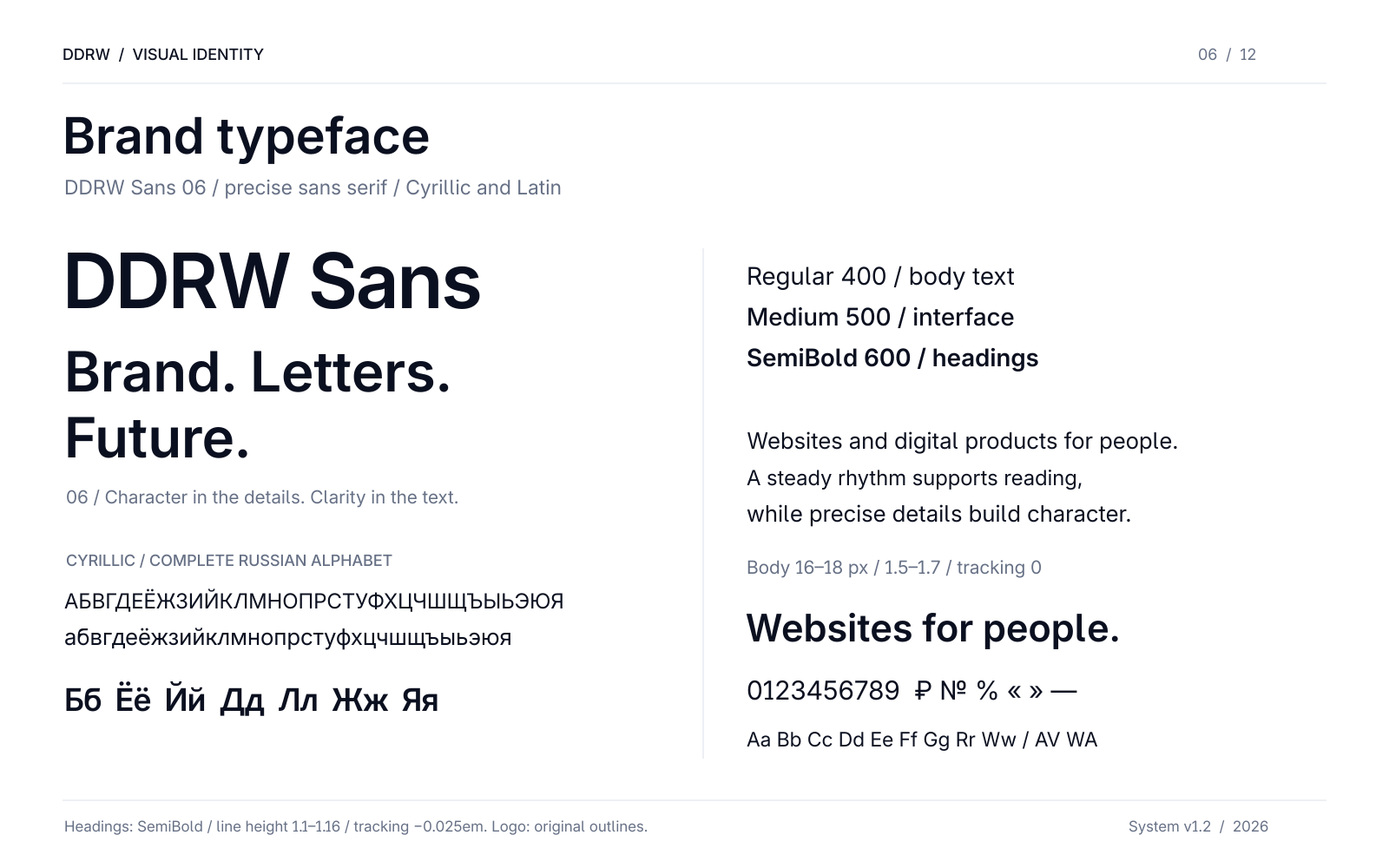
Typography work continues after choosing letterforms. A large headline benefits from tighter line spacing; a long paragraph needs comfortable lines and normal letter spacing. Expressive headline settings cannot be applied automatically to field labels or article text.
The sixth version refined spacing in individual character pairs while retaining the previous version’s letterforms. Such details matter especially in an interface: the same font appears in short buttons, long headlines, numbers and user input.
A pattern from one element
DDRW’s decorative module comes from the same D used in the logo. Repetition, consistent spacing and rotation produce different surfaces from one shape. The connection to the main mark remains without constantly repeating the full name.
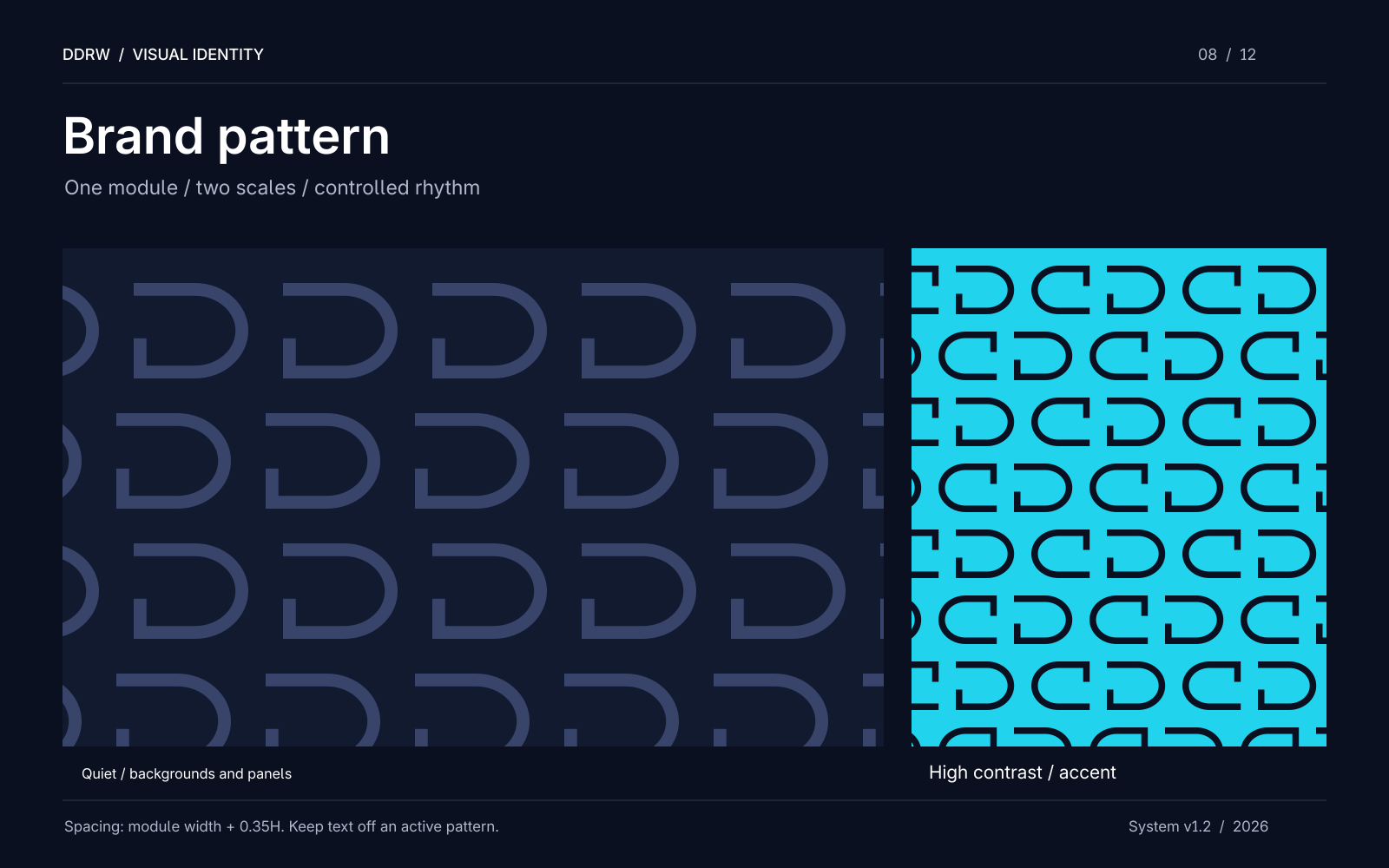
The pattern has limits of use. Scale and intensity can vary, but strong graphics should not sit behind long passages of small text. Reading needs a calm area. A decorative D may be cropped within a composition; the main logo should remain intact.
The principle also applies to digital effects. A translucent surface, motion or color accent is useful while it helps separate a section, show a relationship or draw attention to an action. If an effect makes content harder to read, its parameters need changing.
How identity becomes an interface
On the website, the visual system is tested by content: long service names, project cards, article tables, shop filters and forms. Attractive colors alone are insufficient on any of these pages.
A card needs a clear heading and action, a field needs a visible boundary and focus state, and a table needs readable columns on a narrow screen. Consistent button shapes make actions recognizable across sections. Matte surfaces separate content from the background while retaining the page’s shared environment.
This is the boundary between identity and an interface design system. Identity defines visual character. A design system establishes it in components, states and behavior rules. Digital products need both; otherwise, the branded presentation and working website soon begin to look different.
You can see this on the DDRW homepage, in the service catalog and shop. The package mockups show another side of the system — application to individual formats.
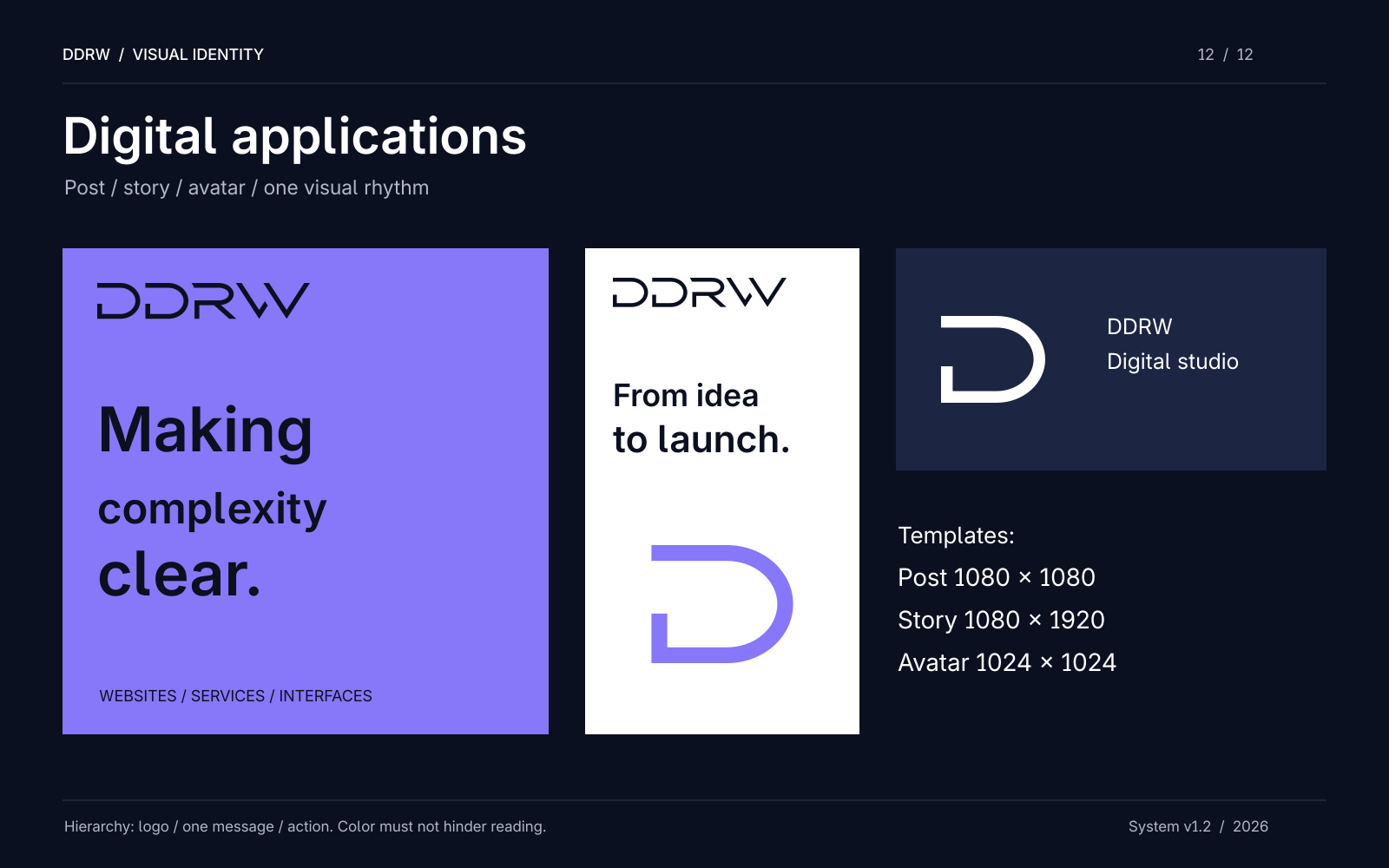
The post and vertical publication have different proportions but retain the same set of elements: the updated logo, DDRW Sans 06, established colors and one main idea. These are application mockups, rather than photographs of a manufactured run. Printed materials require separate preparation for production specifications.
What to check in your company’s visual system
Collect several real tasks: a service page, phone screen, article cover and a document with a long heading. Try applying one set of rules to all of them. This check reveals more than a logo on an empty background.
- Recognition: full and compact mark versions connect to each other, and graphics continue their character.
- Typography: Russian text, numbers, long names and short labels remain readable without unintended font substitutions.
- Color roles: primary text, secondary text, links and the main action are clear; meaning remains without a bright background.
- Application: new materials can be assembled from existing elements with predictable spacing and hierarchy.
- Handover: the team receives vector originals, fonts with their license, a palette and editable templates.
DDRW’s visual system demonstrates this approach through our own brand. Its value lies in consistent decisions, from the standalone D to a page people read and use.
If you are preparing a new website or updating an existing one, we can discuss the interface’s visual system: which brand elements exist, what the digital product lacks and which states need work. Tell us about your task — we will define the scope for your project.
