
Start with actions, rather than role names
The words “user,” “manager” and “administrator” do not themselves define access. In one company, a manager only answers enquiries; in another, they change order terms and invite colleagues. Before developing a portal, list specific actions: view, create, edit, confirm, delete, download and invite.
List the objects participants work with: enquiries, documents, profiles, organizations, payments or publications. Record the actions and restrictions beside each object. This becomes the foundation for interface and server requirements. When a new feature appears, the team can determine who should receive it without guessing what a role means.
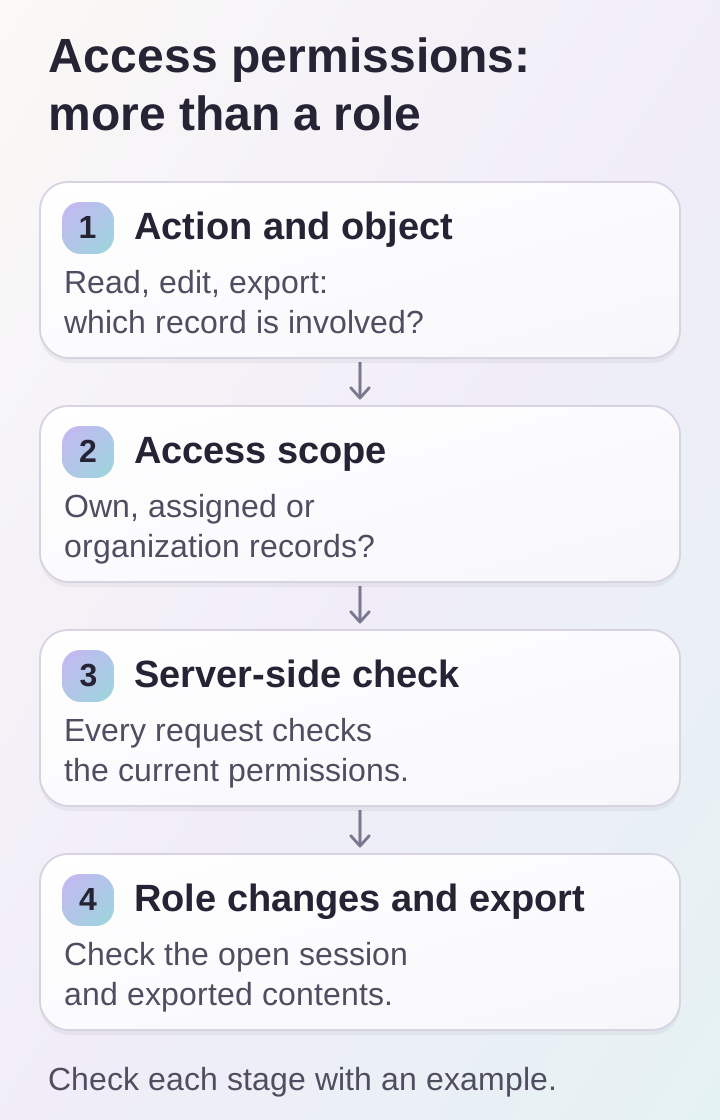
A role name does not define access: you need an action, object and record scope. Checks apply after permission changes and during export.
Build an approval matrix
We suggest a table with actions as rows, roles as columns, and permission plus scope in each cell. Instead of a general “yes,” write “own enquiries only,” “the organization’s enquiries” or “orders assigned to this manager.” Leave ambiguous cells as questions for the process owner.
A hypothetical example for a collaboration service:
- a participant creates their own enquiry and reads replies;
- an organization coordinator sees the team’s enquiries;
- an operator processes enquiries assigned to them;
- a manager changes assignments and receives a consolidated export.
This is an example agreement, not a universal set of roles. If a coordinator does not need prices or contact details, record those restrictions separately. For a project with several organizations, discuss their boundaries before the portal’s appearance.
Clarify object ownership
Permission to read an enquiry does not mean permission to read every enquiry. Alongside the role, the organization, owner, assignment and current object state matter. OWASP recommends checking permissions on every request and denying access by default. Hiding an interface button does not replace server-side validation, including direct requests for an object.
For approval, use several fictional records: Anna’s enquiry, Boris’s enquiry and an enquiry from another organization. Go through them under each role. Record permitted actions and the expected response to a refusal. This makes it easier to spot a statement such as “can see enquiries” that forgot to say which enquiries.
Decide separately what happens when an enquiry is assigned to a colleague: whether the former assignee retains access, whether history remains readable and who can restore the assignment.
Describe permission changes and revocation
Every role needs a lifecycle. Who invites a participant? Who confirms their organization? Who changes their authority? What happens when an employee leaves or a contract ends? These situations need clear admin actions and agreed timeframes for restrictions to take effect.
Record the expected behavior in an already open portal. For example, an employee loses permission to edit an enquiry while its form is open. The next save attempt must check current authority. The interface explains why the action was not completed and offers a permitted next step.
During acceptance, test this scenario with two test accounts. One changes the role; the other tries to continue working. Do not limit testing to signing in again: some issues appear only in an active session. Mobile app and web portal rules should describe the same access.
Treat export as a separate action
A “Download table” button may collect more data than an individual screen. An export therefore needs its own requirements: available records, columns, filters, format and recipient role. A hypothetical operator might only need assigned enquiries without financial details, while a manager needs an organization-wide summary.
Check that exported records match the agreed access scope. If a file is prepared in the background, decide separately what happens if permission is revoked before the result is obtained. State how long the file remains available and who owns this setting. The system cannot automatically revoke an already downloaded copy; consider this when choosing export contents.
Use specially prepared records with noticeable differences for testing. Extra rows or columns can then be spotted without examining real customer data.
Prepare acceptance scenarios
Add a short test set to the matrix:
- each role can access only the agreed scope of objects;
- a prohibited action cannot be performed through a direct link;
- transferring an object changes access according to the rules;
- role changes have been tested within an open session;
- exports contain only permitted records and fields;
- participant invitations and removals have an owner;
- disputed actions can be investigated through change history.
Every scenario needs starting conditions and an expected outcome. A matrix without examples quickly becomes a formality; examples without a matrix do not reveal untested combinations. Agree on permission requirements early in web platform and customer portal development. To discuss them, send participant roles and a list of work actions through DDRW contacts.
