
On October 14, 2026, NGINX released fixes for five vulnerabilities. In the upstream NGINX Open Source branches, they were included in 1.30.6 stable and 1.31.7 mainline. Three memory-handling bugs can lead to remote code execution under additional conditions. Website owners should check the installed build, active configuration and application of the fix to the running server.
This article was checked on October 24, 2026. By then, mainline 1.31.8 had already been released, so 1.31.7 is identified below as that branch's first fixed version. When updating, select your supplier's current supported release. Dates and fixes are published in the NGINX news.
What was fixed and which settings matter
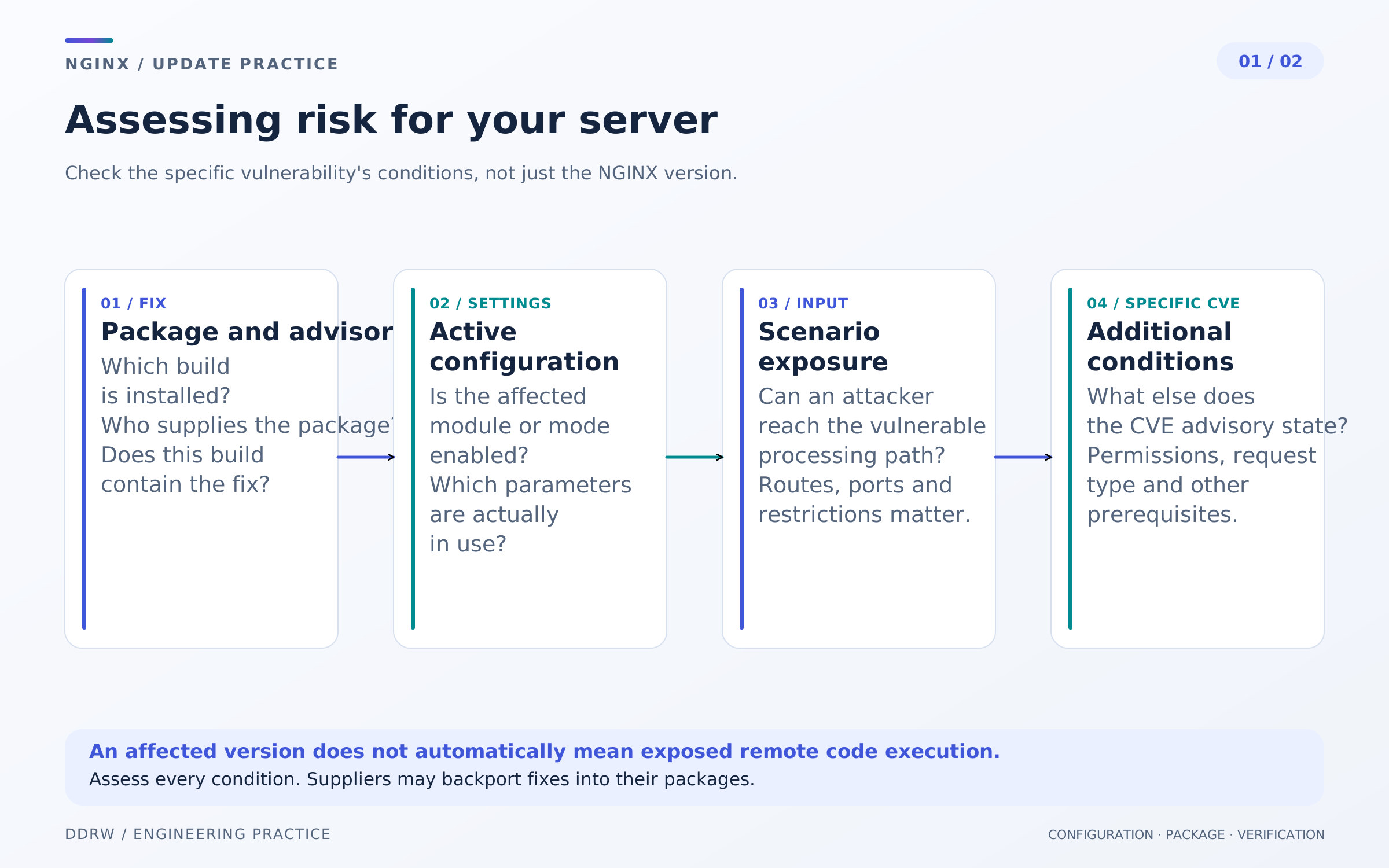
The update announcements brought together HTTP/3, TLS and several memory bugs. These are separate scenarios with different prerequisites. Checking one module does not answer questions about the others.
| Vulnerability | Conditions to check | Possible consequences |
|---|---|---|
A combination of alias, rewrite and certain uses of $request_filename, including in access-log formats. | Memory overflow in a worker process, a crash and, under additional conditions, code execution. | |
Regex captures from map used in root or an access-log format before the map output variable; string expressions containing a noncacheable variable are also described. | Memory overflow, a worker-process crash and, under additional conditions, code execution. | |
HTTP/3 processing; for the proxying scenario, F5 specifies proxy_request_buffering on. | Part of an unknown frame may enter the request body, potentially bypassing body-size limits and injecting data into a proxied request. | |
Automatic TLS session-ticket key rotation with a shared session cache and no explicit ssl_session_ticket_key file. | Nondeterministic forgery of a client TLS session, including possible bypass of client-certificate verification. | |
AIO combined with SSI pages using include virtual under certain configurations. | Use-after-free, process-memory corruption or a crash and, under additional conditions, code execution. |
A worker is an NGINX process that handles connections. Its crash can disrupt request processing even while the main server process keeps running. Remote code execution, or RCE, means the ability to execute code through a vulnerable data-processing path. AIO is asynchronous input/output; SSI processes server-side includes in pages.
The table helps identify what to investigate. Check complete conditions and exceptions against the bulletin for each CVE: the presence of alias alone, for example, does not establish the CVE-2026-15176 scenario. Affected upstream-version ranges differ and are listed in the NGINX security advisory register.
Why severity ratings differ and when RCE is possible
For the three memory bugs—CVE-2026-15176, CVE-2026-93479 and CVE-2026-97205—F5 records give 9.2 Critical under CVSS 4.0 and 8.1 High under CVSS 3.1. NGINX labels this group medium on its website. Retain the name of the scoring system when describing them: different scales cannot be collapsed into a single “all five are critical” label.
F5 connects possible code execution in these three bugs to ASLR being disabled or bypassable. ASLR randomizes memory-region placement and makes exploiting certain bugs harder. Enabling it helps but does not remove the vulnerability or replace a fix. These conditions appear in F5's primary records for 15176, 93479 and 97205.
NGINX being installed does not establish that a server has been compromised. Equally, an absence of obvious failures does not demonstrate safety. An update decision needs build and configuration information; signs of possible compromise require a separate investigation.
How to check your server
Start by inventorying every place NGINX runs. It may sit in front of the application on the host, inside a container or in a separate Kubernetes controller. NGINX Plus, Ingress Controller and Gateway Fabric use their respective product versions and matrices: an Open Source version number does not automatically apply to them.
For an ordinary installation, these commands are useful:
nginx -v
nginx -V
sudo nginx -t
-v shows the invoked binary's version, -V also shows its build parameters, and -t checks configuration and access to the files it names. Options are described in the NGINX documentation. Run commands in the environment and with the configuration path used by the instance being checked: a binary from the host's PATH may differ from the container's binary.
You can inspect the complete configuration locally with nginx -T, including included files. Its output may contain private addresses, internal headers and secrets, so do not send it to an open chat or publish it in full. A build parameter in -V indicates a module can be used; configuration directives determine its actual operation.
For Ubuntu or Debian packages, also inspect the full build number:
dpkg-query -W -f='${Package} ${Version}\n' 'nginx*'
apt-cache policy nginx
Distributions may backport fixes into a supported branch without changing NGINX's main version. A short nginx/1.x string is therefore insufficient: you need each CVE's status for the particular package and OS release. This security-update approach is described, for example, in the Ubuntu documentation.
After the check, you should know the supplier and build, affected features, external exposure of the scenario and the fixed package. If the hosting provider controls server access, ask support for this information and confirmation that the patch was applied.
Preparing and applying the update
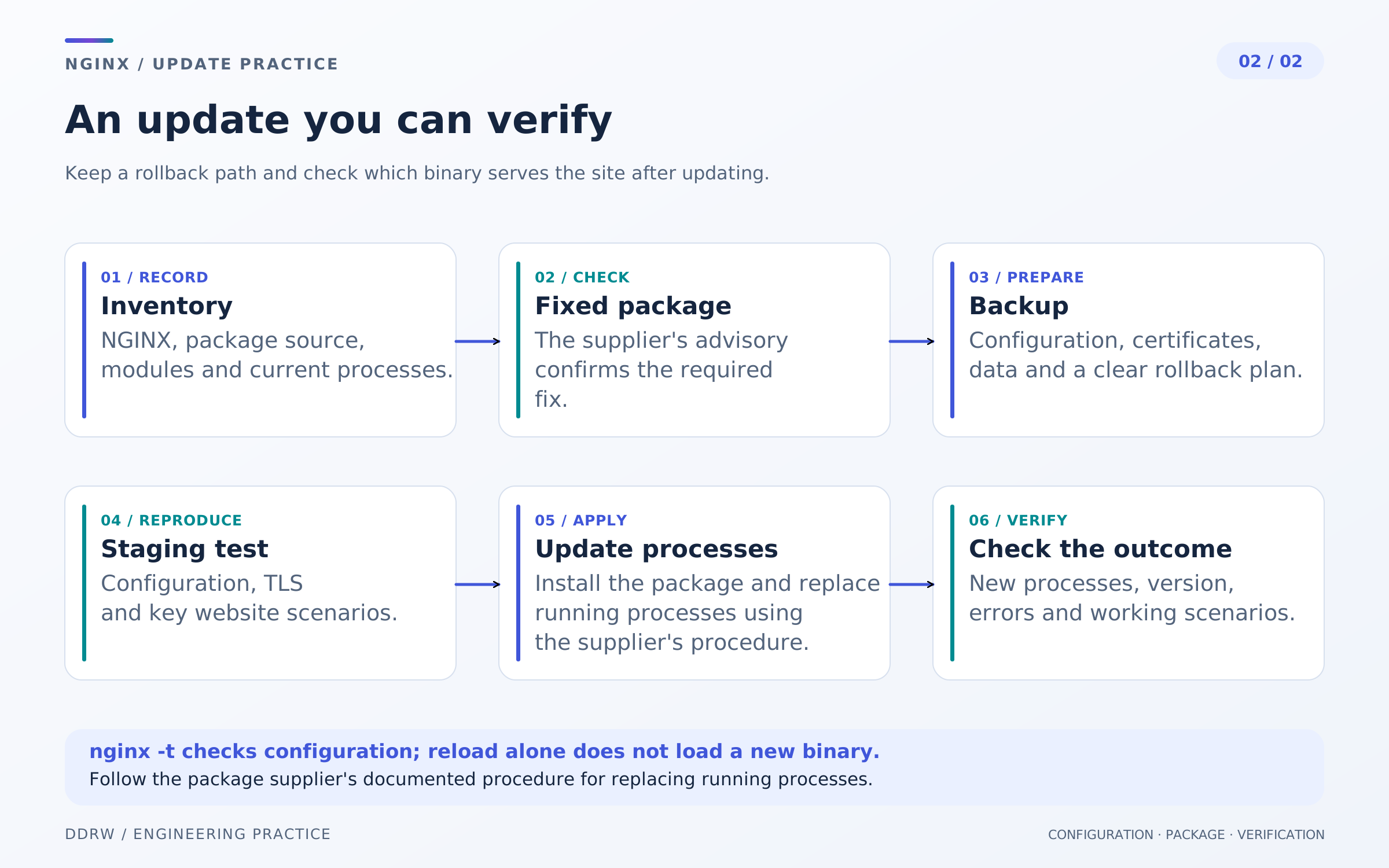
Agree a maintenance window that accounts for every website on the shared reverse proxy. Save configuration, certificates and startup settings in protected storage, and record the current package or image and recovery procedure. Backup-restoration testing is covered in a separate DDRW article.
In staging, check the chosen release's compatibility with dynamic modules, included files and startup method. Go through the same TLS entry point and routes visitors use: a local application response behind the proxy does not test NGINX's configuration.
Update from a trusted package repository or build a new image with a pinned version. Use the supplier's procedure for NGINX Plus and managed products. An image being present in a registry does not mean running containers already use it.
Why reload alone is not enough
An ordinary nginx -s reload tells the existing master process to reread configuration and create new workers. NGINX documents a separate binary-upgrade procedure for replacing the executable. After installing a new package, use the supplier's prescribed restart or documented binary upgrade, then verify that processes actually changed. The distinction is explained in the NGINX control guide.
A successful nginx -t answers a configuration question. It does not establish that the already-running master loaded a fixed binary. Likewise, a new nginx -v result describes the invoked file; the running instance needs a separate check.
For a systemd installation, a starting point is:
systemctl show nginx --property=MainPID,ExecStart --no-pager
systemctl status nginx --no-pager
Match the processes to the update record and installed build. In containers, check the running image identifiers and every replica's health. Exact commands depend on the deployment method in use.
What to check after the update
Record several independent forms of evidence:
- Fix: the supplier lists the relevant CVEs as fixed in the installed build.
- Running instance: new processes or replicas use the updated binary or image.
- Public entry point: main domains, HTTPS, certificates, redirects and routes are externally accessible.
- Functionality: the scenarios your website needs pass—forms, login, file uploads, APIs and long-lived connections.
- Errors: startup logs, worker crashes and changes in 5xx frequency have been reviewed.
If you use HTTP/3, client TLS certificates or SSI, include them separately in the plan. Opening an ordinary homepage does not test those modes. For actions that create orders or send email, use an agreed test scenario in advance.
In the update report, retain the date, full package version or image digest, procedure used and check results. This allows the next specialist to understand system status without reconstructing the entire history.
If the patch cannot be installed immediately
F5 describes temporary measures for individual scenarios: changing uses of alias and $request_filename, particular regex captures, disabling AIO or SSI, and adjustments to session tickets and proxy-request buffering. Choose a measure from the bulletin for the specific CVE and test its impact in staging.
For example, changing alias can break file serving, while disabling SSI can affect pages using server-side includes. Changing proxy_request_buffering affects request-body processing and upstream interaction. TLS tickets need a managed key policy. A universal copy-and-paste directive set would be unreliable here.
Record the temporary measure, responsible team and deadline for installing the fix. A WAF and CDN can contribute to protection but do not, by themselves, establish that the NGINX bug on the origin server is resolved.
Questions website owners often ask
If NGINX sits in front of a Rust application, does it still need updating?
Yes. Assess the reverse proxy independently of the application's language. A request-processing error in NGINX occurs before control reaches the application or during proxying. One component's safety does not establish its neighbor's safety.
Must we urgently move from stable to mainline?
Fixes for this group are available in both branches, beginning with 1.30.6 stable and 1.31.7 mainline. Choose according to supplier support, module compatibility and confirmation of the patch in your build. Switching branches is not required to resolve these five CVEs.
If the website uses HTTPS, why do TLS tickets still matter?
HTTPS does not exclude TLS implementation bugs. CVE-2026-97629 describes a particular session-ticket mode and possible client-session forgery; it does not imply that all HTTPS connections are compromised. Conditions appear in the F5 record for this CVE.
Do we need a full redesign or website migration?
First identify the affected installation and apply the fix. Updating a reverse proxy is usually an infrastructure-maintenance task. Changing the CMS or visual design is not inherently necessary for this group of CVEs.
Website checks and support at DDRW
If the team lacks clear server information and an update process, start with an inventory: where the application and reverse proxy run, who manages access, which backups are available and how work is verified. Our developer-selection and handover-completeness checklist helps prepare a project transfer.
At DDRW, you can discuss website support and development: define the review boundaries, update plan and acceptance criteria. For a new project, agree infrastructure and maintenance procedures during business website development.
Primary sources
- NGINX: releases dated October 14 and 21, 2026.
- NGINX: CVEs and affected upstream-version ranges.
- F5 CNA: CVE-2026-15176, CVE-2026-93479, CVE-2026-95101, CVE-2026-97629, CVE-2026-97205.
- NGINX: command-line options and process control and binary upgrades.
- Ubuntu: security-update delivery and backporting fixes to supported packages.
