
To commission a business advertising video, first define who will see it, where it will appear and which action you want viewers to take. Then agree the script, production method, versions and acceptance criteria. The team then has a clear deliverable: a specific set of videos for chosen placements, with an agreed message, audio and material-usage terms.
Below is the commissioning process from initial inquiry to file handover. It applies to filmed videos, animation and projects combining live footage, graphics and AI tools.
Define one task and the viewing context
“Tell people about the company” is too broad for estimating production. Describe the viewer's situation instead: someone seeing a product for the first time should open its description; an exhibition visitor should understand how equipment works; an existing customer should notice a new service.
Choose the main action for each video: view an offer, request a demonstration, open the catalog or remember the brand. This helps determine which shots and arguments are necessary and what can remain on the website or in a conversation with a manager. Trying to include company history, every service and detailed instructions in one video makes the message harder to assemble.
Viewing context affects the script before editing. A retail display may have neither sound nor a clickable action. A mobile feed needs vertical composition and readable captions. A client meeting may allow explanation by a presenter. Establish whether the video loops and whether viewers will see the beginning.
Do not assign an identical duration to every placement in advance. Obtain the platform's or display operator's requirements first, then decide what message fits the available time.
What to give the producer for an estimate
For the initial inquiry, collect information that determines the scope. If some decisions remain open, say so: concept development can be included in the commission too.
| Information to provide | Why production needs it |
|---|---|
Product, audience and action after viewing | To choose the message and required evidence |
Platforms, frame orientation and display constraints | To plan composition and versions |
Launch date and internal approval stages | To assess whether the schedule is realistic |
Available budget or range | To propose a suitable production method |
Existing photos, video, logo, brand identity and product models | To identify what can be reused and what needs creating |
Approved facts, specifications and offer limitations | To avoid building the script on unsupported promises |
Client-side decision-maker | To organize approval without conflicting revisions |
Explain references: “we like the calm pace,” “we need a product close-up,” or “the diagram-based explanation suits us.” An attractive example may require actors, locations and elaborate graphics your task does not need. Separate the desired technique from the cost of somebody else's production.
An existing company presentation may supply approved facts and images. We discuss preparing those materials in “Project presentations: preparing structure and materials”. Slides do not replace a video script: a video sets its own sequence and viewing time.
Agreeing the script and storyboard
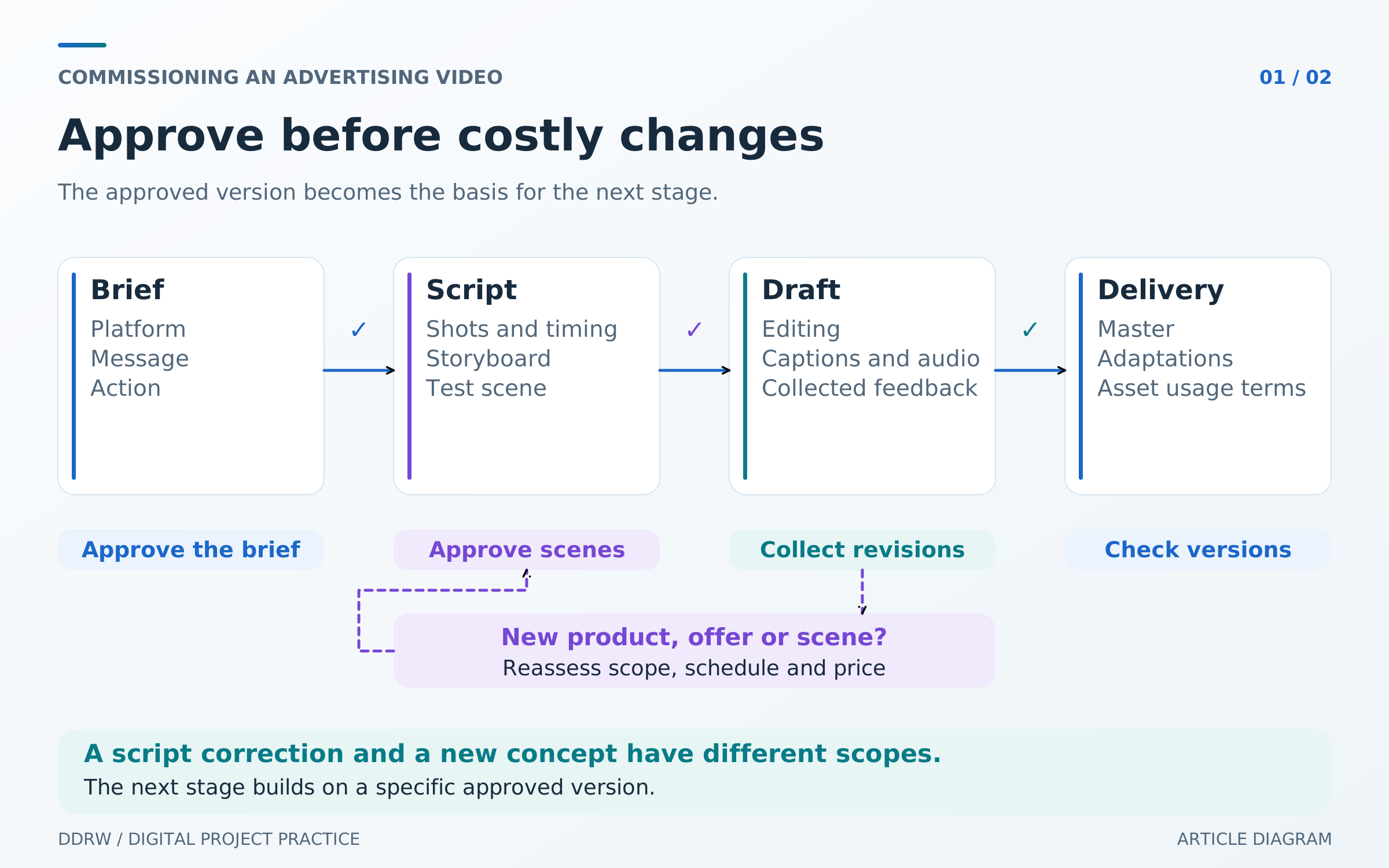
Before filming or detailed animation, agree the message sequence. The script should show the shot, voice line or caption, approximate duration and transition to the next action. The client checks facts and the offer; the production team checks feasibility and pacing.
A storyboard then illustrates the composition of key scenes. For complex movement, an animatic—a rough sequence with approximate timing and audio—is useful. This may reveal that an explanation does not fit the chosen duration or the final call to action appears too briefly. Such issues are easier to fix before filming and animation are finished.
Here is a hypothetical 20-second advertising script for an equipment-rental company. It is an educational outline, not a real case study or a promise of results.
| Time | What the viewer sees | What it communicates |
|---|---|---|
0–4 seconds | Equipment in a working situation | What the company offers and which task it serves |
4–10 seconds | Several close-ups and an approved specification | Which advantage matters to the buyer |
10–16 seconds | A clear sequence for choosing and receiving equipment | How to use the offer |
16–20 seconds | Product, company name and one action | Where to request selection assistance |
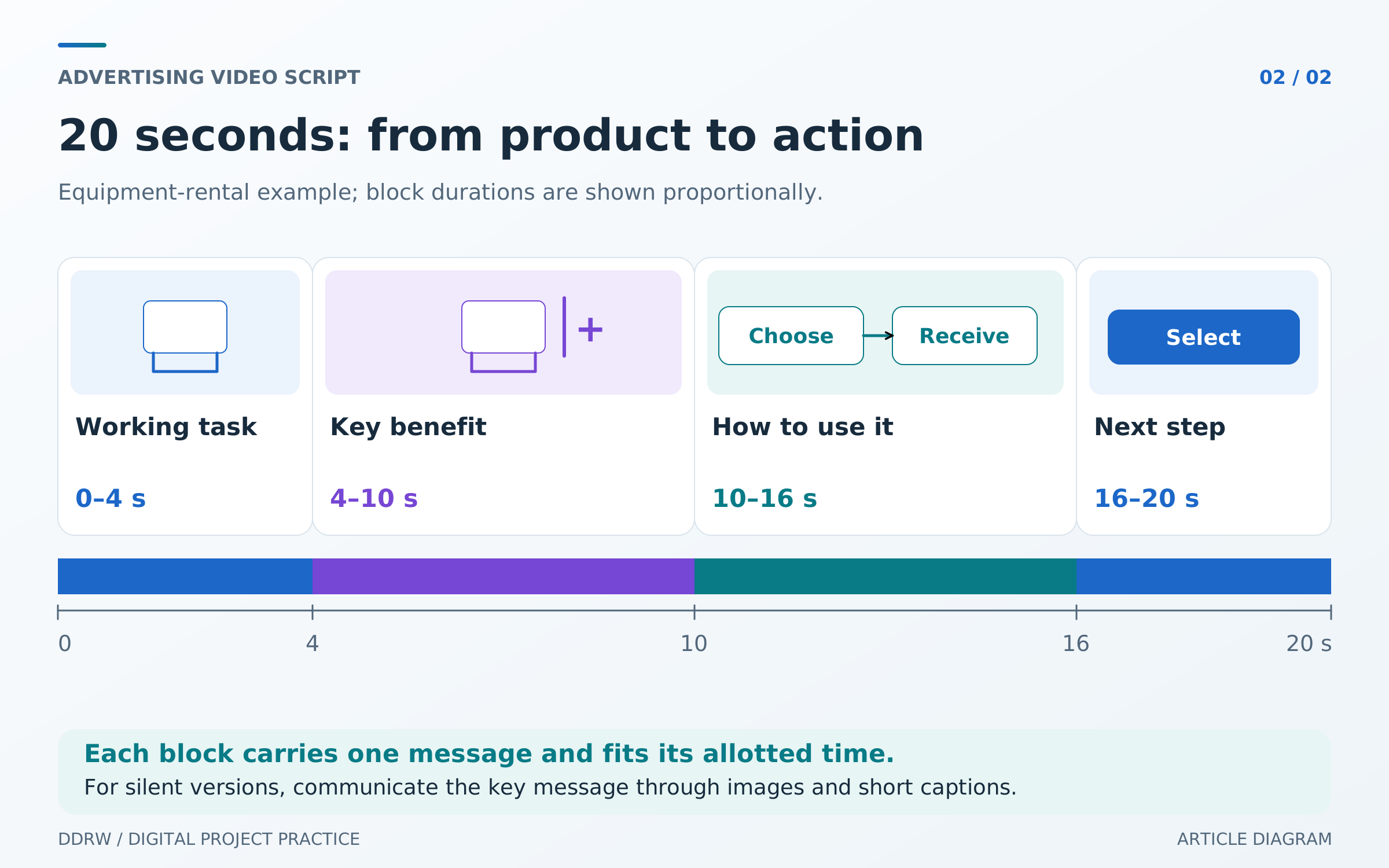
Check whether the message works without narration. If not, decide what the image or a short caption needs to communicate. This is essential for silent placements and worth planning for other viewing contexts too.
Script approval should identify a particular version. Changing the product, offer or key scene afterward can affect filming, graphics and the schedule. Agree the change process before production starts.
Choosing filming, animation or AI
Filming is appropriate when you need to show a real product, person, space or process. An estimate needs information about access, crew, locations, props and preparation time. The client may already have some footage, but its quality and usage rights need checking first.
Animation helps explain structure, a sequence or a service that is difficult to film. Distinguish simple movement of existing elements from creating illustrations and full 3D scenes in the estimate. Equal duration does not mean equal workload.
AI tools can help explore visual direction, create individual backgrounds or produce stylized shots. Results still need checking: do the product shape, lettering, details and object behavior fit the task? If real equipment or an interface must be shown accurately, a distorted image is unacceptable merely because it looks impressive.
For mixed projects, identify scene origins in advance: what will be filmed, taken from an approved archive, modeled or generated. Request a sample of a difficult scene before producing the whole video. This provides a more concrete basis for a decision than a general promise to “make it like the reference.”
What affects advertising-video production cost
Cost depends on more than the finished video's duration. Concept preparation, filming days, participants, locations, graphic complexity, audio and adaptations all matter. A short staged video with modeling can require more work than a longer edit of prepared footage.
Ask for the proposal to be divided into clear outputs: script and storyboard, image production, editing, audio, placement versions and file handover. Each stage needs a scope, deadline and approval point. Separately clarify music, stock assets, voice talent, travel and additional filming costs if required.
Compare proposals with the same deliverables. One estimate may include only a horizontal master, while another also includes a vertical edit, subtitles and a short version. If budget is limited, ask for options to reduce scene count, production complexity or adaptations, explaining the consequences for the task.
Also agree whether advertising placement is included. Producing files, uploading them to a platform, configuring a campaign and analyzing results are separate tasks unless the parties agree on a combined scope.
Which formats and versions to request
Define the delivery list before production. For each version, specify platform, aspect ratio, duration, language, audio, subtitles and technical requirements. Horizontal 16:9, vertical 9:16 and square 1:1 are common options, but the set depends on the placement.
Requirements can differ even within one advertising system. For example, Yandex Direct's reach-video campaign instructions list three aspect ratios, while its video-banner builder specifies horizontal 16:9. Before final export, check the requirements of the exact format, and request a separate display's specification from its operator.
Vertical adaptation often requires moving the subject, rearranging captions and changing the edit. Cropping the edges may remove part of the product or essential text. Clarify whether pricing includes a separate composition for each orientation and readability checks on the target device.
Agree a version without burned-in captions if other languages or later text changes are planned. Do not assume project files, fonts and working materials are included: list exactly what is handed over and what future editing will require.
Organizing approvals and acceptance
Appoint one person to collect the company's feedback. Timestamped comments are easier to act on: “At 00:08, this specification is outdated; replace it with the approved one.” “It needs more energy” requires discussion: it might concern edit pace, camera movement or an overly long explanation.
Agree revision rounds, response deadlines and approval points in advance. Distinguish correcting a departure from the approved script from a new request to change the concept. For the latter, understand the effect on price and schedule before continuing.
During final acceptance, review the complete set:
- Names, specifications, contacts and the offer match approved information.
- The key message is clear in the intended viewing mode, with or without sound.
- Captions and important subjects remain visible in every orientation without platform controls covering them.
- Music, speech and sound effects have no accidental cuts or overload.
- Files meet agreed parameters and open on the target device or in a test placement.
- Every version is delivered, with names identifying platform, duration and revision.
Also obtain a list of music, stock assets, voices and other third-party materials with usage terms. Clarify permitted platforms, duration of use, modification rights and necessary filming permissions for participants. Agree the basis for using a synthetic voice or a person's likeness too. Delivery of a video file alone does not establish these rights.
What to check after launch
Video readiness and campaign outcomes are evaluated differently. Acceptance confirms the agreed deliverables and execution quality. Inquiries, views and clicks also depend on audience, placement, the offer and the destination page.
Before launch, define where clicks and target actions will be recorded. If the video leads to a website, check the link and inquiry journey. Our website analytics article explains connecting events to decisions. Compare versions against a predefined objective while accounting for differences in display conditions.
Keep the approved script, final files and future-change terms. Replacing a price, contact or individual shot then becomes a clear task: you know which version is in use and which materials are available to update it.
Starting a video project with DDRW
For the first discussion, prepare the product, audience, placement, launch date, budget guide and available materials. If formats or the script are still undecided, say so—they can be discussed during preparation.
See our Advertising videos service and send your task to DDRW. These details provide a basis for discussing production methods, approval stages and the versions your business will need.
