
Find recurring operations
Look at the reasons customers regularly contact managers: checking a status, downloading a document, repeating an order, changing details or approving an action. If answering always involves manually finding the same data, a portal can give users independent access and remove some repetition from the team’s work.
Automation makes sense only when a reliable information source exists. If statuses are kept in scattered spreadsheets and not updated on time, an attractive interface will not make them accurate. First determine who is responsible for each process state and in which system.
- The customer needs personal information and an action history.
- Operations recur after the first enquiry.
- An up-to-date source of statuses and documents exists.
- It is clear who corrects data and handles exceptions.
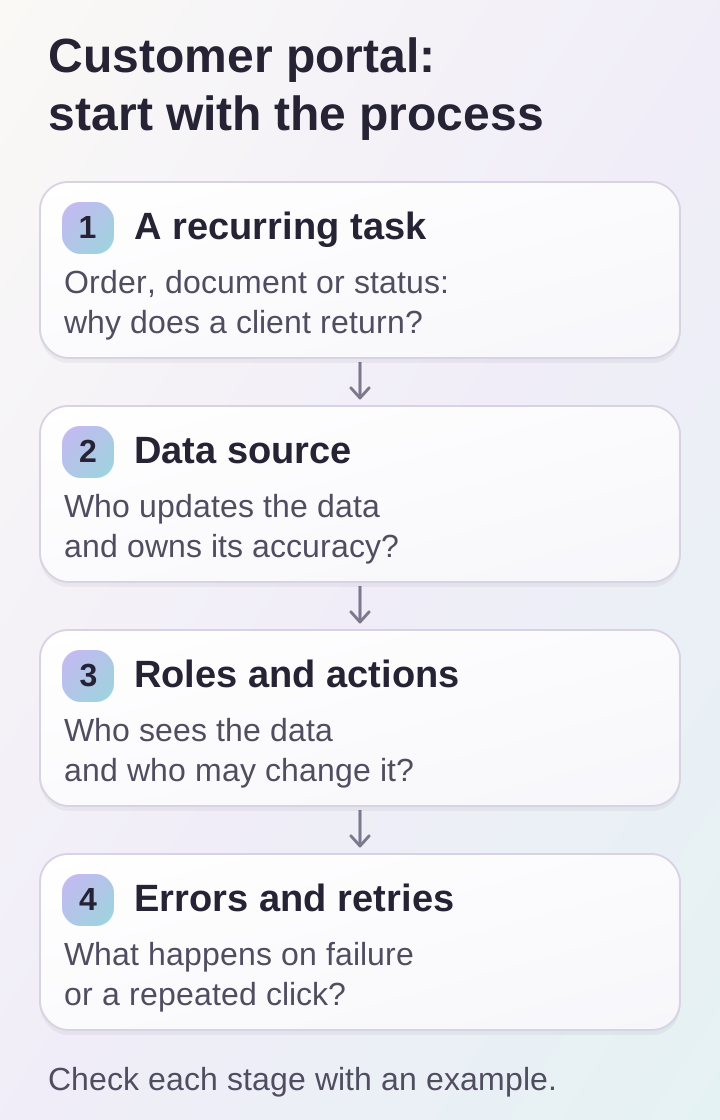
First define the recurring task and data source. Roles, errors and repeated actions are parts of the portal’s user journey.
Describe roles and permissions before designing screens
In a business portal, buyers, accountants and managers may use the same company account. Their tasks and permissions differ. One needs documents, another approves orders, and a third manages employees. Without discussing roles beforehand, restrictions will need to be fitted into already completed journeys.
Build a table: role, accessible data, permitted actions and confirmation method for important operations. Consider employee invitations and departures, access recovery and support separately. Restrictions must be checked on the server, not merely hide interface buttons.
- Who can see organization-level and individual user data?
- Who can change details and approve operations?
- How is access granted and revoked?
- Which actions must be recorded in history?
Check integrations and error states
Identify the source for every portal section: CRM, a business management system, a payment service or your own database. Define the direction of exchange, update interval and acceptable delay. Users should understand whether the screen shows a current status or information from the last synchronization.
Review exceptions: a document is not ready, an order is cancelled, an external service is unavailable or the user clicks a button twice. These states are as much part of the product as the successful journey. For important operations, agree in advance on protection against repeated execution and a recovery path after failure.
Limit the first launch to a useful minimum
Choose one complete journey, such as viewing orders and obtaining documents. It must work from sign-in to the end result, including empty states and help. Many partially completed sections are usually harder to test and explain to customers than a small, connected set of actions.
A prototype will reveal whether enough information is available to complete the task. Test it with people similar to future users: can they find the right order, understand its status and obtain a document without hints? Structural corrections at this stage usually do not require rebuilding completed integrations.
- One main journey from sign-in to result.
- Empty, error and waiting states.
- A clear route to support.
- Scenario testing on mobile and desktop.
What to measure after launch
Define events in advance: successful sign-in, an order found, a document downloaded, a completed operation and a support enquiry. Look at where people stop, which actions they repeat and which questions they still send to a manager. Registration counts without completed tasks say little about a portal’s value.
Comparing support workloads requires baseline data and the same observation period. Do not promise savings before measuring. DDRW’s portfolio includes MYRU and Bonusium as examples of platforms with user journeys; the specific scope of your company’s portal begins with a process map and data sources.
