
The cost of a custom presentation includes work on content, slide design, diagrams and charts, approvals and delivery of the final files. Page count helps estimate volume but says little about how ready the text is or how complex the visuals are. Compare proposals by the deliverables and the requirements for using them afterwards.
At DDRW, professional presentation pricing is available on request, with timing based on an agreed plan. The service page does not give a universal per-slide price. To obtain a meaningful estimate, define the work: designing approved content, reworking an existing file or building a presentation from scattered materials.
This article explains what should appear in the estimate and where additional work arises. Preparing source information is already covered in the presentation brief article; differences in approach are examined in the article on client and investor presentations.
Why a per-slide price does not describe the whole project
The same number of slides can conceal different tasks. If a client supplies approved copy, finished images and a working template, most work concerns composition and careful assembly. If there is only a large document and spreadsheets, someone first needs to select arguments, remove repetition, establish the sequence and formulate conclusions.
Slides themselves also differ. A cover, a standard service card and a complex process diagram take different amounts of time. The difference is particularly clear when a chart must be built from source data or an illustration created specifically for the content.
A per-slide price becomes meaningful when a typical slide is defined, available materials are identified and separately estimated elements are specified. Without these conditions, a low rate may cover only layout while the client expects editing and a visual system as well.
Also clarify how volume is calculated when the structure changes. Splitting an overloaded page into two increases the slide count without necessarily adding new arguments. Adding a detailed comparison diagram to an existing slide leaves the page count unchanged but changes the work. Record how such changes affect the estimate.
Three starting situations with different estimates
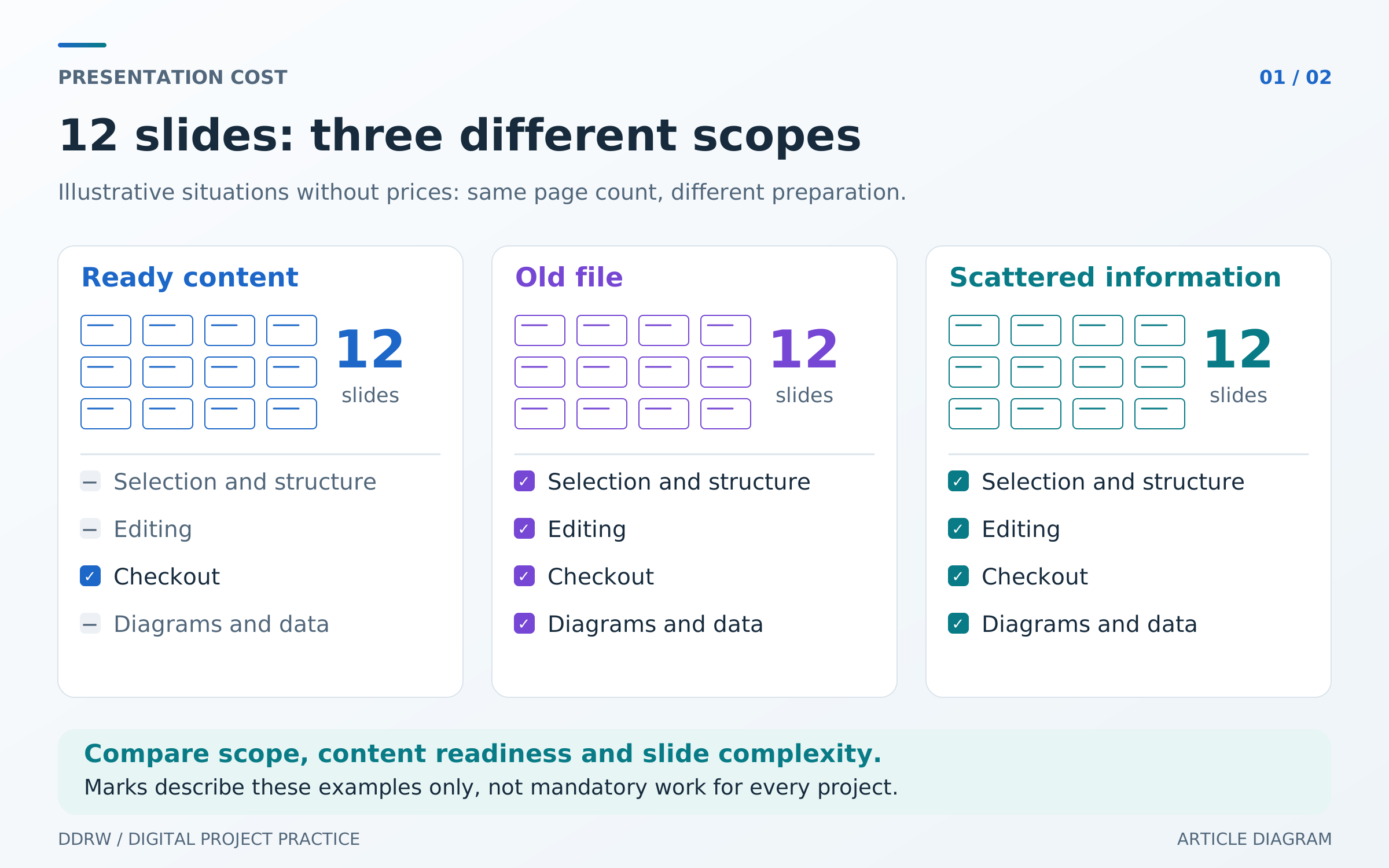
These hypothetical examples concern a 12-slide presentation. They illustrate differences in work, not prices or actual client projects.
| Starting situation | Work required | Main factors affecting the estimate |
|---|---|---|
Approved text, ready photographs and a brand template | Design the pages, align the composition and check the file | Number of unique layouts and source-material quality |
An old presentation needs updating | Check relevance, rebuild part of the structure and refresh the design | Depth of changes and whether existing elements can be reused |
Documents, spreadsheets and notes exist, but no finished presentation | Assemble the content, edit the text and develop a style and visuals | Amount of content work, data complexity and number of decisions to approve |
Even with the same “12 slides” deliverable, the third task includes stages largely absent from the first. Clarify whether custom presentation design means styling finished content or creating a presentation with structural development.
An old file may contain useful pages, but the existence of a presentation does not mean its source materials are ready. Slides stored as images, outdated figures and missing photographs can require rebuilding. Ask for several representative pages to be assessed before agreeing the full scope.
What the content and design estimate should include
An estimate becomes verifiable when each stage has a deliverable. “Creating a presentation” is too general to establish which content the contractor develops and the condition in which the client receives the file.
| Work area | Deliverable to specify |
|---|---|
Structure | Agreed slide sequence and purpose |
Editing | Prepared headings, text and conclusions based on supplied materials |
Visual direction | Design examples on representative pages |
Presentation assembly | An agreed number of slides in the chosen style |
Charts and diagrams | A list of visuals, their sources and how they can be edited |
Checking and delivery | The final file, agreed exports and checks in the target application |
Clarify the boundary of text work. Improving wording in supplied content differs from interviewing the team, researching a market or developing a new commercial proposal. If facts are missing, decide who will collect and verify them before putting them in the presentation.
For design, agree separately on style development and production of the remaining pages. Several representative slides let you check fonts, text density, diagrams and images. Once the direction is approved, building the entire file becomes more predictable.
If you need a corporate template for future presentations, list the required layouts: cover, divider, text with image, comparison, chart and other repeatable pages. A template with configured layouts is a separate deliverable. Do not assume it is included simply because the order contains a finished presentation.
How charts and illustrations affect the cost
Even a simple chart needs verified data, measurement units, labels and a clear conclusion. If the contractor receives only a screenshot, reconstructing the table and clarifying values may be necessary. This additional work should be identified before design starts.
A process diagram has a different kind of complexity: participants, connections and sequence must be established. Redrawing an existing diagram differs in scope from developing one from a description. List complex visuals separately in the estimate rather than making a general promise to “add infographics.”
Future updating requirements also affect assembly. PowerPoint lets users edit the data of an embedded or linked chart; an inserted image cannot do that. Microsoft explains this distinction in its instructions on changing chart data and inserting Excel data. If staff will update figures monthly, include editability in the estimate from the start.
For illustrations, clarify whether the project uses existing company assets, purchased images or custom graphics. Define the expected result and permitted production methods for each complex element. Choosing a photograph, creating a product diagram and developing a 3D illustration should not silently merge into a single “design” line.
Revisions, new data and additional versions
The number of revision rounds only makes sense alongside the stage and scope of changes. Correcting a caption after fact-checking, changing a selected color and rebuilding the story for another product are different tasks. Clarify which changes are included and how new work is estimated after a stage is approved.
The point at which content is fixed is particularly important for the estimate. Replacing a data table after design may require updating its chart and related conclusions across several pages. Adding a new business area changes the structure itself. An agreed method for estimating such changes keeps the budget understandable.
A separate version is not always a simple replacement of a few words. Translation can change heading lengths and diagram labels; a shortened version may require selecting arguments again. An independent-reading version may need explanations absent from a live presentation. Name every required version before work begins and define its differences from the main one.
The calendar deadline depends on production, data readiness and content approval. For urgent work, ask which stages remain essential and what must be supplied by a particular date. Urgency and its effect on cost should be explicit in the proposal if the contractor accounts for it.
What delivery of an editable file means
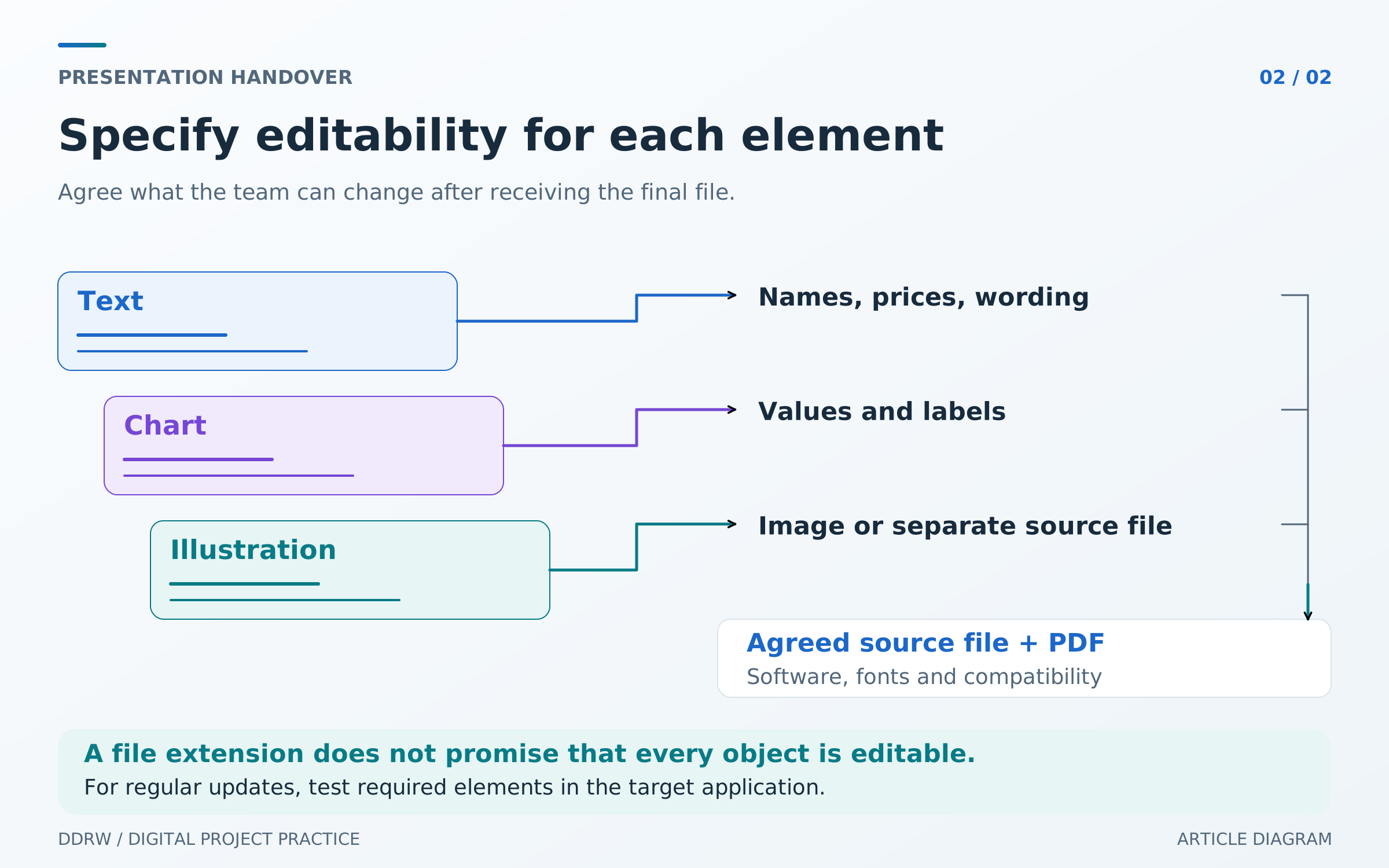
A file extension alone does not describe editability. A presentation can contain ordinary text boxes, data charts, grouped shapes and images. These elements allow different degrees of modification.
Agree on what your team must be able to change independently: prices, names, photographs, figures, colors or page structure. Require suitable editable elements for regularly updated areas. A complex illustration can be delivered as an image if that meets the task and has been agreed.
Check fonts and external dependencies too. Microsoft notes that embedding permissions depend on the font, and saving only used characters limits further editing in that font. Agree on delivery and testing on another computer in advance. See Microsoft’s font-embedding guidance.
The handover package can include the main editable file, a PDF for sharing and a list of required materials. Specify additional illustration source files, separate images, instructions or a staff template separately. Check the result in the application and version the team intends to use.
Comparing proposals and reducing the budget
First bring the estimates to the same scope: identical source materials, slide and version counts, chart lists, editing requirements and exports. Then see which stages each amount includes and what the contractor expects the client to provide.
If one estimate assumes finished copy while another includes reworking it, the price difference does not yet indicate expensive or inexpensive design. Ask for the missing stage to be described or estimated separately. The same applies to reconstructing charts, sourcing images and preparing a template.
Reduce the budget by reducing actual work. Approve data in advance, use suitable company photos, limit unique illustrations and begin with one main version. Keep the content readers need to make their decision.
Reducing page count does not always save money. If all the material must remain and be condensed again, additional editing and rebuilding are needed. Discuss which arguments, appendices or versions can be left out of the first stage and which are essential for launch.
Obtaining a presentation estimate from DDRW
The Professional Presentations service includes agreeing the audience, purpose, format and slide count, structural work, editing supplied materials, visual styling, agreed diagrams, an editable source file in the agreed format and a PDF. Market research, financial modeling, translation, photography, complex animation and additional versions are estimated separately. The exact scope is defined for each task; pricing is on request and timing follows an agreed plan.
For an estimate, provide the existing file or materials, expected slide count, required completion date and a list of versions. State what is already approved, which charts need creating and what staff will edit after delivery. If the scope is not yet known, it can first be established from the available content.
Send your task to DDRW to discuss the work. The estimate should record the result of each stage, included revisions, handover package and process for changing scope. You will then understand what work you are paying for and what you will receive when the project is completed.
