
The website accepted an order, the manager cannot see it in the CRM, and the buyer is already asking when delivery will arrive. Adding another notification is not enough. You need to know where the order is saved, which systems received it and who investigates discrepancies.
An integration is an agreed exchange of data between programs. An API lets one program contact another, but does not itself define business rules. We explain those rules using a hypothetical equipment store: its website accepts orders, CRM supports managers, and an inventory system maintains product data. This is a teaching example, not a description of DDRW project outcomes.
1. Assign data owners first
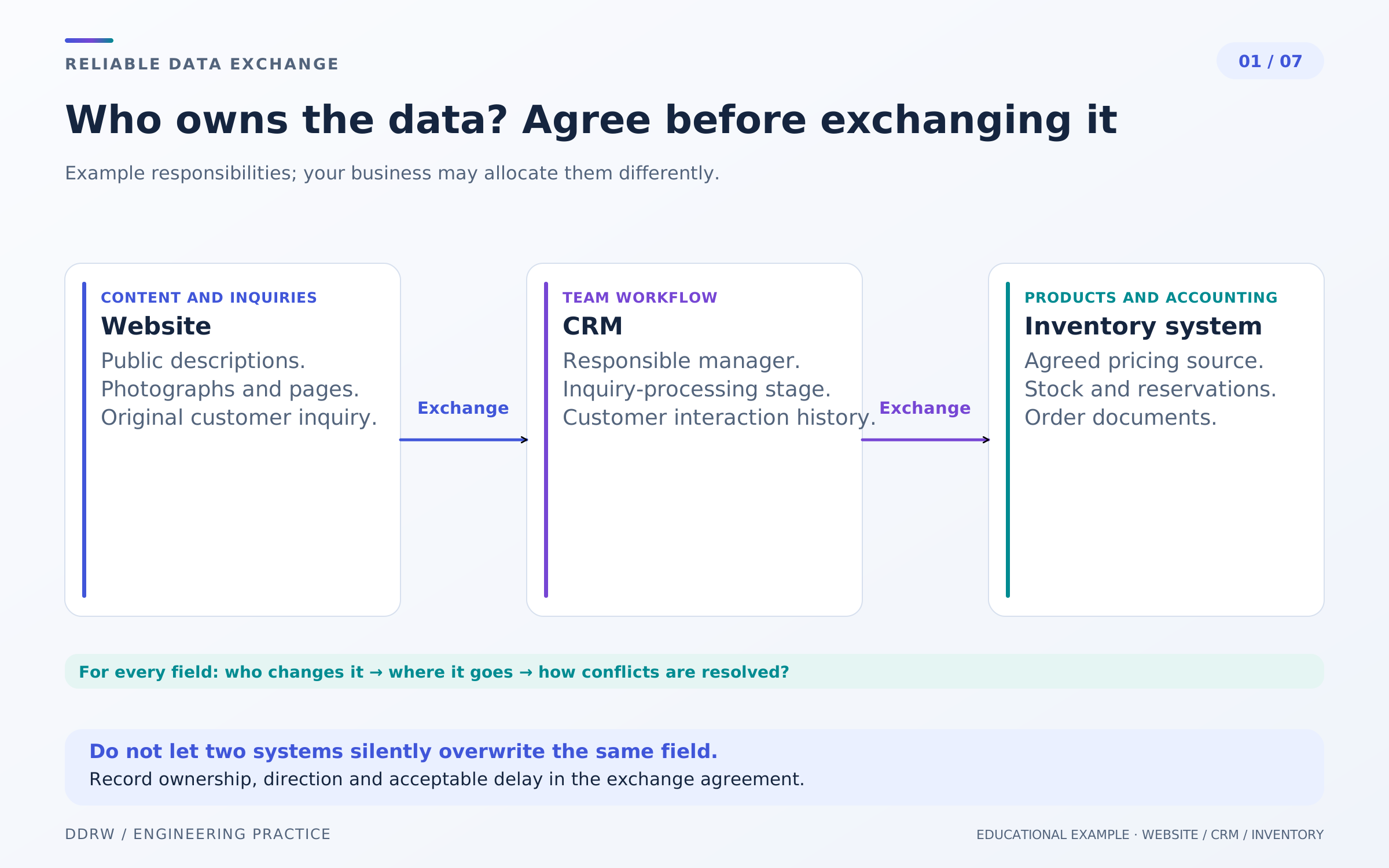
Start with a field table: name, source, recipient and permitted update direction. If prices are changed on both the website and in the inventory system, the next exchange can overwrite the correct value. The problem then lies in ownership rules even when the connection works correctly.
In our example, the website owns descriptions and images, CRM owns manager assignment and communication stages, and the inventory system owns prices and available quantities. This arrangement does not suit every business: another may use a separate catalog system and a dedicated pricing service. What matters is explicitly selecting a source for each field.
Define separately what the website shows when a source is unavailable. Can it temporarily display the last known price? Can it accept an inquiry to check stock? Who confirms whether an order can be fulfilled? Answer these questions before connecting the exchange.
An order preserves the conditions shown and confirmed at checkout. Later product-page changes must not silently rewrite its contents. An employee changing an order performs a separate action with a clear history.
A business owner can test the specification with one simple question: “If the information differs, where do we look for the correct value?” “Whichever program updated last” means the agreement is not ready.
2. Separate objects, events and statuses
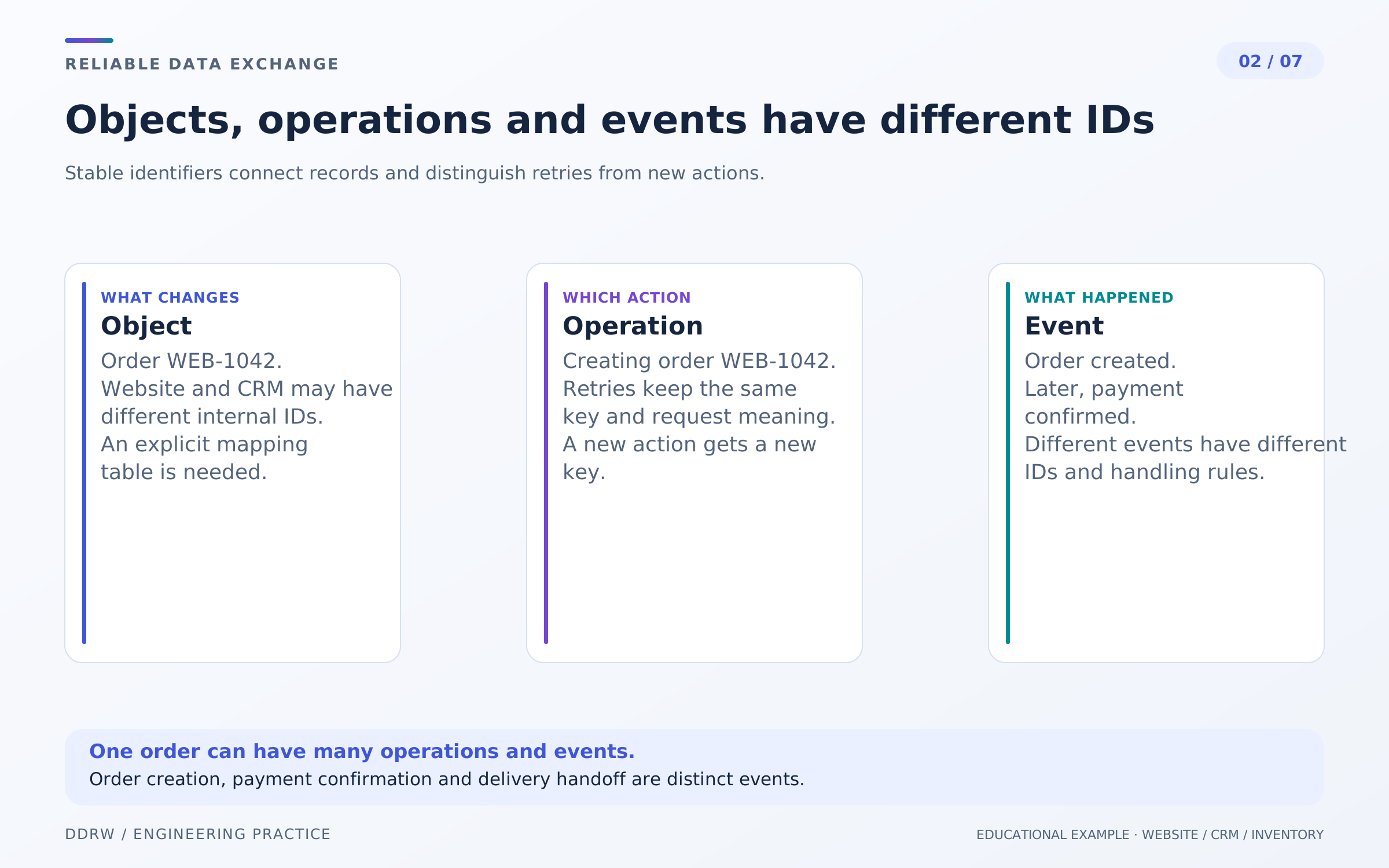
A buyer’s name, phone number or spreadsheet row number is unsuitable for linking records. People change contact details, two orders can look identical and list sorting changes constantly. Use a stable identifier—an ID retained throughout the object’s lifetime.
Suppose the website creates order WEB-1042, CRM assigns its own ID and the inventory system assigns another. The integration stores the mapping. Programs do not all need the same format; they need to locate the same entity unambiguously.
An event also has an identifier. “Order created,” “address changed” and “payment confirmed” concern one order but describe different facts. An operation ID identifies the specific action a program is attempting. These identifiers help establish exactly which step repeated or stopped.
Do not reduce everything to one “done” status. An order may exist but not yet be in CRM; a payment may await confirmation; delivery may not have started. Managers benefit from seeing these states separately.
In our example, the buyer sees that the website has registered the order. The admin interface separately shows that CRM delivery is pending. Confirming order receipt therefore does not become an unsupported promise that processing is complete.
3. Save the order together with its delivery task
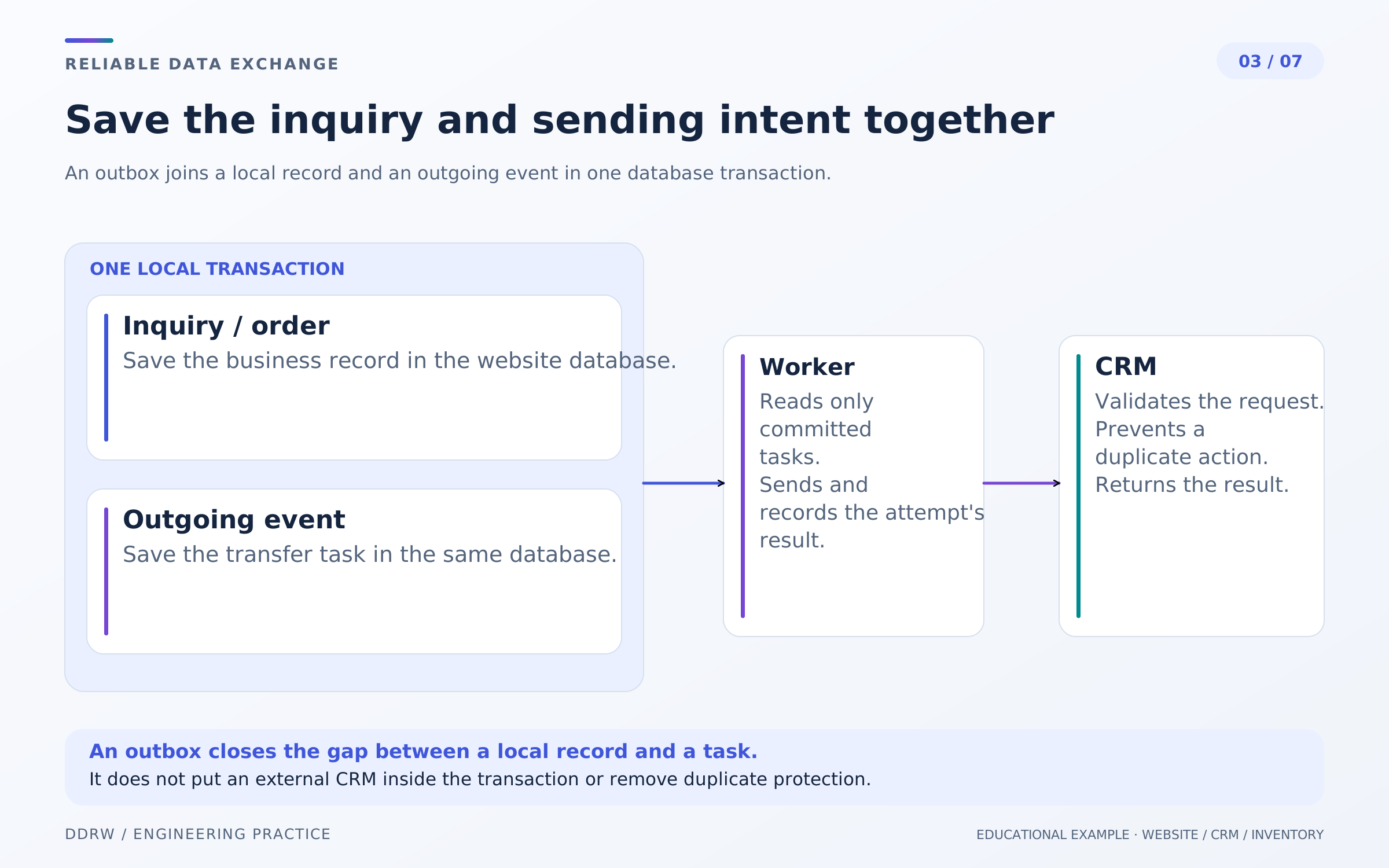
A dangerous sequence is to save an order and then send it to CRM. If the application stops between those actions, the website keeps the order without a delivery task. The reverse sequence is problematic too: the external record already exists while the local one has not been saved.
One approach is a transactional outbox: a log of outgoing events. Order data and the event for later delivery are saved in one local transaction—the database commits both records or neither. A separate background worker reads the log and sends messages. This is not a shared transaction with CRM; the recipient still needs to account for possible repeats. See the outbox description in AWS Prescriptive Guidance.
For a store owner, the practical benefit is being able to locate the order and the task that should deliver it. An operation record can show when it was queued, the last attempt, the external ID and the next scheduled attempt.
“Delivered” needs a precise definition. It may mean the external service accepted the request without finishing its internal processing. The interface label should reflect that meaning.
The log does not replace backups or server operations. In our example, it makes outgoing actions part of a managed process rather than an incidental continuation of a button click.
4. Prepare for a timeout after a successful action
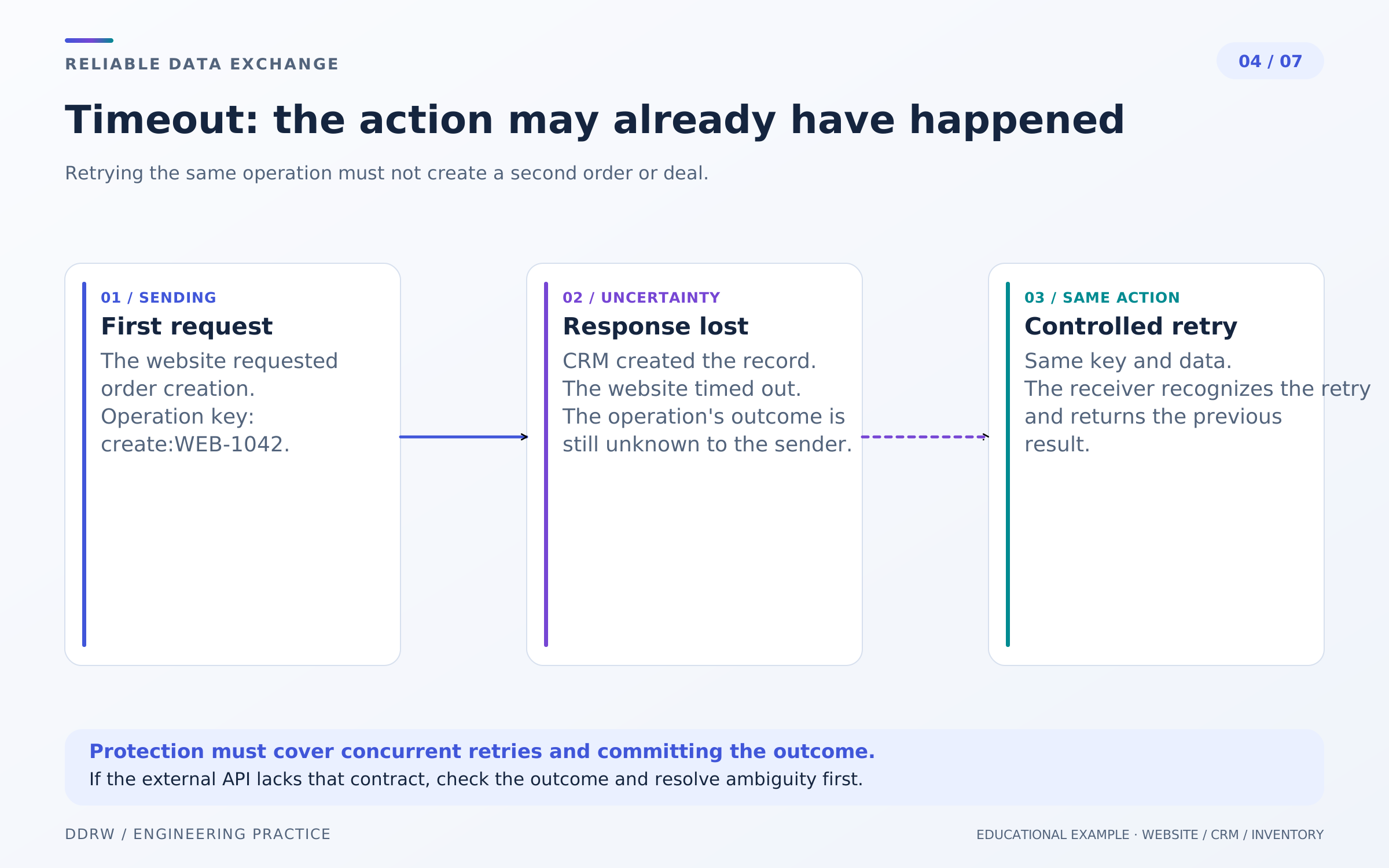
CRM can save a record while the website fails to receive the response in time. A timeout means no timely response arrived; it does not prove the action failed.
Idempotency allows one operation to be repeated without an additional effect. If an API supports this contract, the sender retains an operation key and retries with the same key and the same data. A new intentional action needs a new key. On the recipient, checking the key, changing data and recording the result must be protected against concurrent processing; asking “does this record already exist?” before creation is insufficient. See Amazon Builders’ Library on idempotent APIs.
For WEB-1042, the initial and repeated creation attempts refer to the same action. Changing the order contents is a different operation. Do not silently substitute new data into the previous request and send it under the old key.
Obtain field or header names, key-retention periods and conflict behavior from that API’s documentation. A similar mechanism in another service establishes nothing about this one.
If a recipient does not support safe retries, an ambiguous response requires reconciliation using an external identifier, sometimes with manual checking. A “retry” button should explain the consequences rather than automatically create another record.
5. Retry temporary failures and surface the others
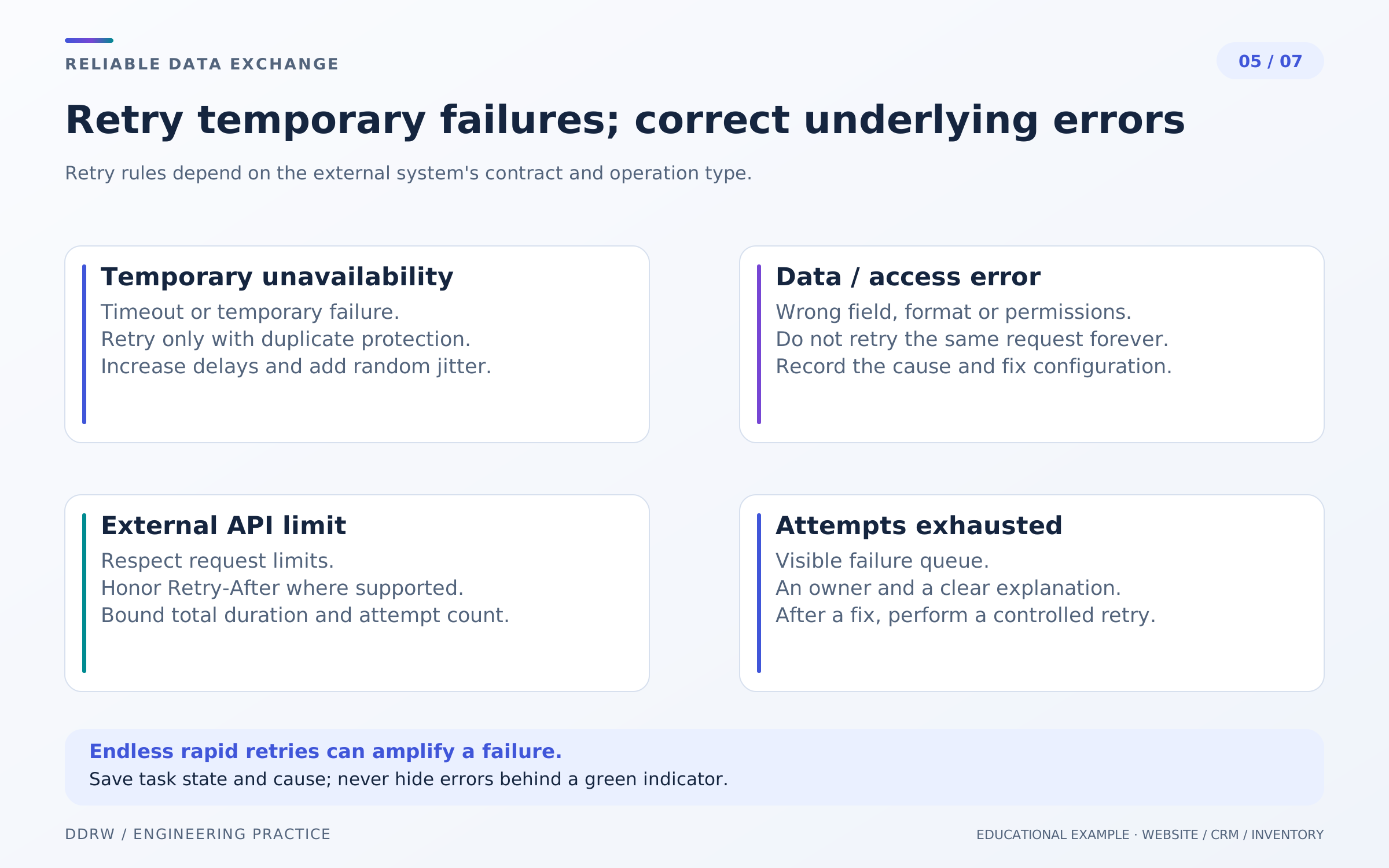
Retries need limits on attempt count and elapsed time. Backoff increases the delay between attempts; jitter adds a random component. This helps avoid many requests arriving simultaneously after a service recovers. Timeouts and retry policies need to account for the operation’s characteristics. See the Amazon Builders’ Library recommendations.
For a 429 response, follow that API’s rate-limit rules. If its documentation specifies Retry-After, the worker respects that time. A missing required field or invalid credentials usually needs correcting; repeating an unchanged request will not fix it.
In the hypothetical store, an invalid product code appears in an error queue with a clear explanation. An employee sees WEB-1042, the problematic mapping and the permitted action. Passwords, tokens and full personal data do not belong in that record.
An operation must not disappear when retries are exhausted. Assign a state visible to the responsible employee. Show old stuck tasks separately: the queue can keep moving while one record remains unprocessed.
A retry after correction preserves its connection to the original order and its attempt history. Record content corrections explicitly, respecting the recipient’s contract, so the employee knows exactly what will be sent again.
6. Verify incoming notifications and whether they are current
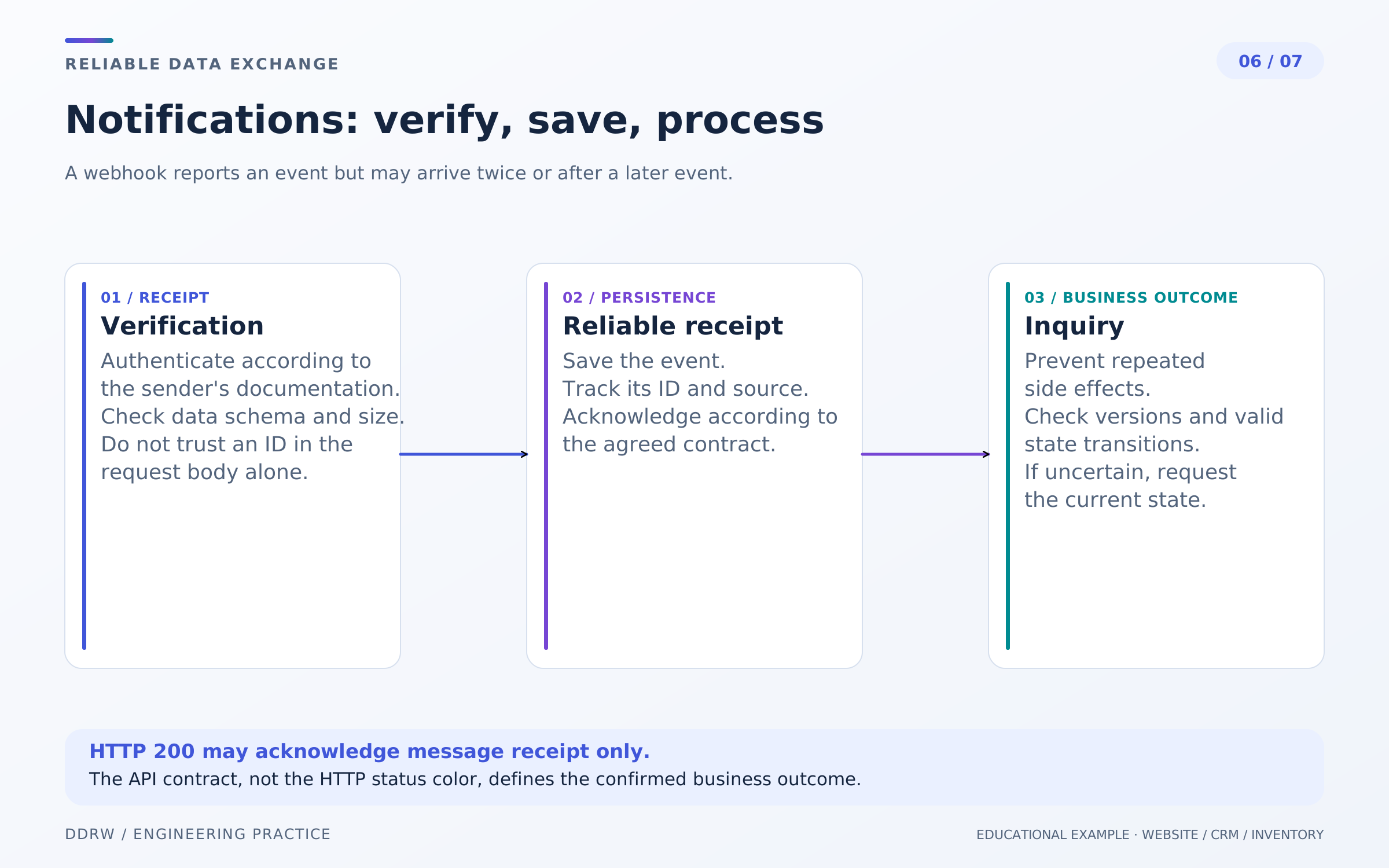
A webhook is a notification an external service sends your application when an event occurs. An inventory system might notify it of an order change. A publicly accessible receiving address does not make the message trustworthy: use the supplier’s authentication checks.
The service contract defines signature verification, permitted message age and acknowledgment format. For example, Stripe documents checking signatures against the raw request body, possible repeat deliveries and the absence of guaranteed event ordering. That describes a particular provider, not instructions for CRM or T-Bank. See Stripe’s webhook documentation.
Our store needs to distinguish a repeat of the same event from a new order change. When object versions are available, compare versions of that object. If the contract provides no reliable ordering, an option is to retrieve and reconcile the current state through the API while respecting service limits.
Otherwise, a late notification of an old stage can move an order back from “handed to delivery” to an earlier state. Blindly applying messages in arrival order is unsuitable.
If the integration permits background processing, reliably save an accepted event first, then acknowledge receipt according to the contract. HTTP 200 confirms a successful HTTP response; completion of the business action must be tracked separately. An unverified message must not change the order, and a verification failure should be visible to the operator without exposing secrets.
7. Agree how to detect and investigate discrepancies
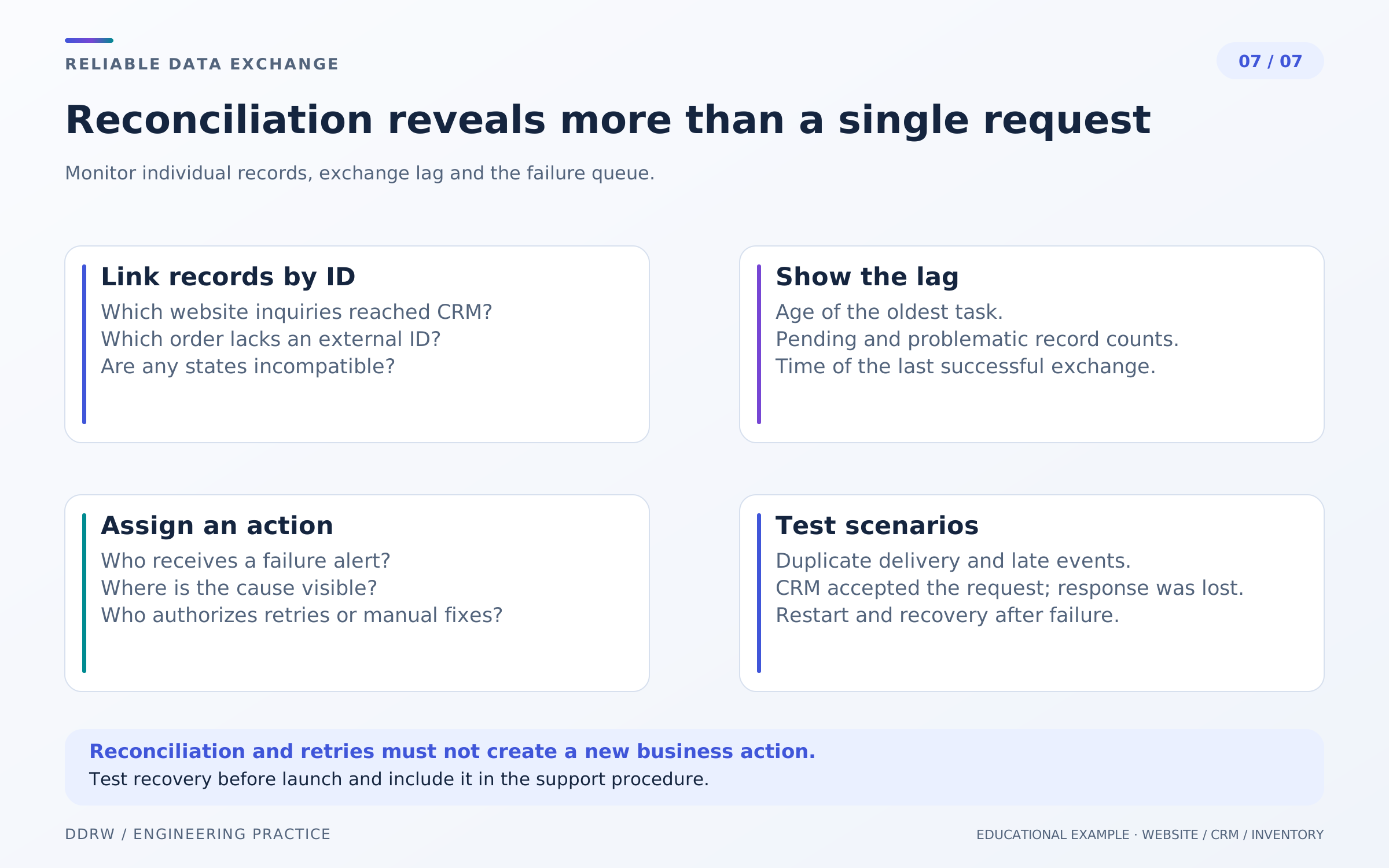
Even a carefully designed exchange needs reconciliation. In our store, a report links each local order to CRM and inventory records: whether they exist, whether their contents match, when they were updated and whether actions remain incomplete. Reconciliation uses stable IDs rather than just total order counts.
The age of the oldest pending task matters. A small queue can contain a long-forgotten order. Error counts, the last successful delivery time and unresolved discrepancies are also useful. Choose alert thresholds for the business workflow.
Assign an owner and procedure: open the operation, check the external record, address the cause, choose an allowed retry and verify the result. Replaying the entire history indiscriminately can make things worse.
A scenario matrix is useful for acceptance. Test a normal order, CRM unavailability, a lost response after saving, duplicate event delivery, out-of-order notifications, an invalid field and concurrent processing of one operation. Record the expected website and external-system states for each case in advance.
These are verifiable project requirements, not a promise that failures will never happen. A good integration helps detect and explain a problem and restore data consistency through a controlled action.
Pre-launch checklist
- Each field has a defined source and permitted update direction.
- Stable identifiers link orders with external records.
- Creation, payment, delivery to other systems and fulfillment are shown separately.
- Outgoing operations are saved together with local changes.
- Retry rules match connected API contracts.
- Incoming notifications are verified before changing business data.
- The error queue and lag are visible to an assigned owner.
- Acceptance includes failure scenarios, and discrepancies can be reconciled by ID.
Frequently asked questions
Do all systems need connecting at once?
Start with one complete route: from saving an order to the record appearing for a manager. Describe its errors and controls, then add further exchange directions.
Can a messenger notification replace CRM?
It attracts attention but does not itself show processing history or consistency between records. The answer depends on the process: what matters is where an employee accepts the task and records the result.
What should you ask a contractor to demonstrate?
One complete order: its local record, external-system link, delivery history, visible error and controlled recovery. This is more informative than demonstrating only a successful request.
