
Choose the action people open the app to complete
A mobile app's first release should give people a complete result. “A catalog, profile and notifications” describes interface components without explaining the task they solve. A more useful statement is: an employee receives an assigned task, adds photographs and submits the result to a coordinator. That makes it clear which features are essential for launch and which can wait.
Here, MVP means a minimal version for testing the chosen scenario. It may have few features, but it should not leave users facing a broken button or an unclear status. For every action, specify its starting point, successful outcome and circumstances in which help is needed.
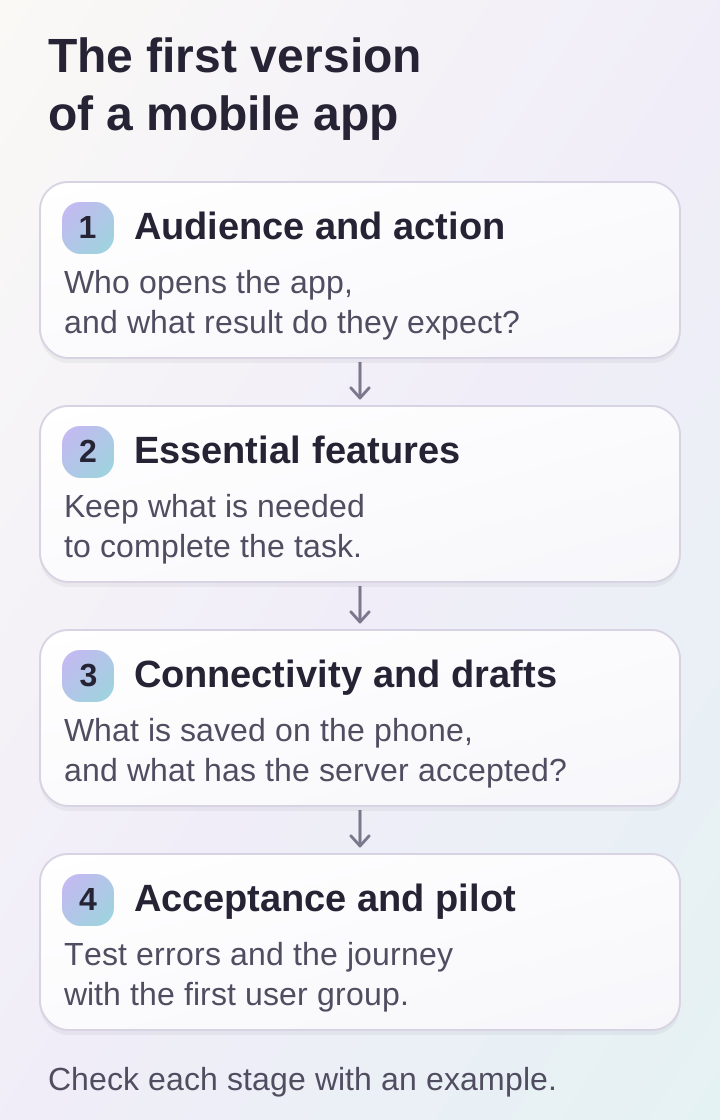
An MVP must complete the selected task. Offline states and a pilot launch are tested alongside the main scenario.
Describe the initial audience and usage conditions
The same scenario changes depending on who performs the task. New customers need explanations; employees using the app daily are more likely to expect a familiar action to be quick. Identify the first user group rather than combining every possible role in one launch.
Examine the working context: can people hold the phone with both hands, do they need the camera, how reliable is the connection, and will they be interrupted? Identify which information the app receives from the server and which users enter themselves. This list helps define data requirements before detailed designs and avoids a screen that looks attractive but does not support real work.
Separate essentials from useful additions
Consider a hypothetical app for site inspections. The initial launch needs a list of assigned inspections, task details, a way to add results and confirmation that those results were submitted. Chat, employee ratings and a complex calendar can wait if the main process remains clear without them.
Divide requirements into three groups: necessary to complete the task; resolves a specific difficulty; and possible future development. For every deferred item, record what would justify returning to it. For example, grouping by district becomes useful if test participants actually spend time finding the nearest task. The backlog then rests on observations rather than a desire to reproduce every feature of a large product immediately.
Plan for lost connectivity and unfinished actions
Mobile scenarios need a separate agreement about what happens when the network disconnects. In our example, it is useful to preserve the entered description and show that photographs have not yet been sent. “Done” is appropriate only with the meaning the team and user agreed: saved on the phone or accepted by the server.
Android's offline-first guide distinguishes reading local data from synchronizing with a network source. For an app specification, this suggests a practical question: what information must remain available offline, and how will people know when it has been updated?
The first release does not necessarily need full offline operation. You can require connectivity for certain actions, but explain that restriction before entered data is lost. Also test closing the app halfway through a task and reopening it.
Agree verifiable acceptance criteria
“Submission works” allows too many interpretations. In the hypothetical app, you could specify: an employee adds a description and two photos; the coordinator sees them in the assigned task; pressing submit again does not create a duplicate record. If transfer is incomplete, the user sees the reason and can continue.
Test more than the successful path. Check an empty task list, invalid data, an unavailable server and denied camera permission. Every situation needs an expected result and a clear next step. Include the checklist in the specification: discussing one set of criteria is easier than comparing different ideas of readiness.
Run a limited pilot
Before broad distribution, let the first user group follow the agreed scenario in their actual working environment. Record where they stop, seek an explanation or repeat an action. Distinguish defects from requests: an inability to submit an inspection blocks launch, while another sorting method requires a separate decision.
Assign someone to collect feedback and decide on the next release. Compare each suggestion with the original task. If it introduces other roles or an entirely new process, clarify the scope before expanding the product. Our article on preparing a digital-project brief also covers describing scenarios.
What to prepare for the discussion
Before estimating a mobile app, prepare a short document covering:
- The initial audience and an action with a clear result.
- Essential features, with deferred capabilities listed separately.
- Data sources and the person responsible for keeping them current.
- Offline rules and restoring an unfinished task.
- Acceptance criteria, test devices and the pilot-launch owner.
This document does not replace product design, but it makes discussion concrete: you can consider a specific user journey, the first release's boundaries and the reasons for future development.
